![brioHR-logo-color.svg]](https://support.briohr.com/hubfs/brioHR-logo-color.svg)
Audience & Scope
Audience: Admin
Module: Expense Claims
Country: Global
Pre-requisites: Access to Expense Claim Balance report enabled in User Group
Gain better visibility into your employees' expense claim entitlements with the new Expense Claims Balance Report.
This report provides a comprehensive overview of each employee's claim limit, amount used, and remaining balance based on their assigned claim policies, making it easier to monitor claim utilisation and available balances.
What does this report include?
The Expense Claims Balance Report calculates employee claim balances based on the selected effective date and displays:
- Claim limit
- Amount used
- Remaining balance
- Breakdown by:
- Year
- Month
- Transaction
Note:
Claim balances are calculated based on the transaction date, not the claim submission date.
Report permissions
Access to this report is controlled through User Group permissions.
To grant access:
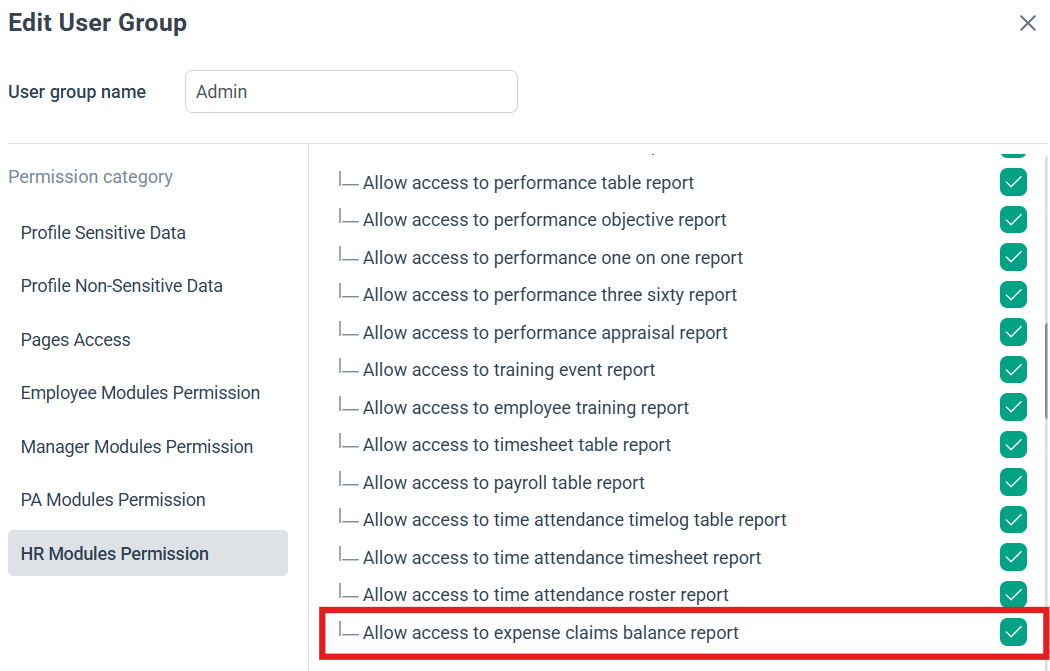
- Go to Settings > User Groups.
- Select the relevant user group.
- Navigate to HR Modules Permission > Reports Module.
- Enable - Allow access to Expense Claims Balance Report.
IMPORTANT:
Only users with this permission enabled will be able to access and generate the report.
How to generate the report
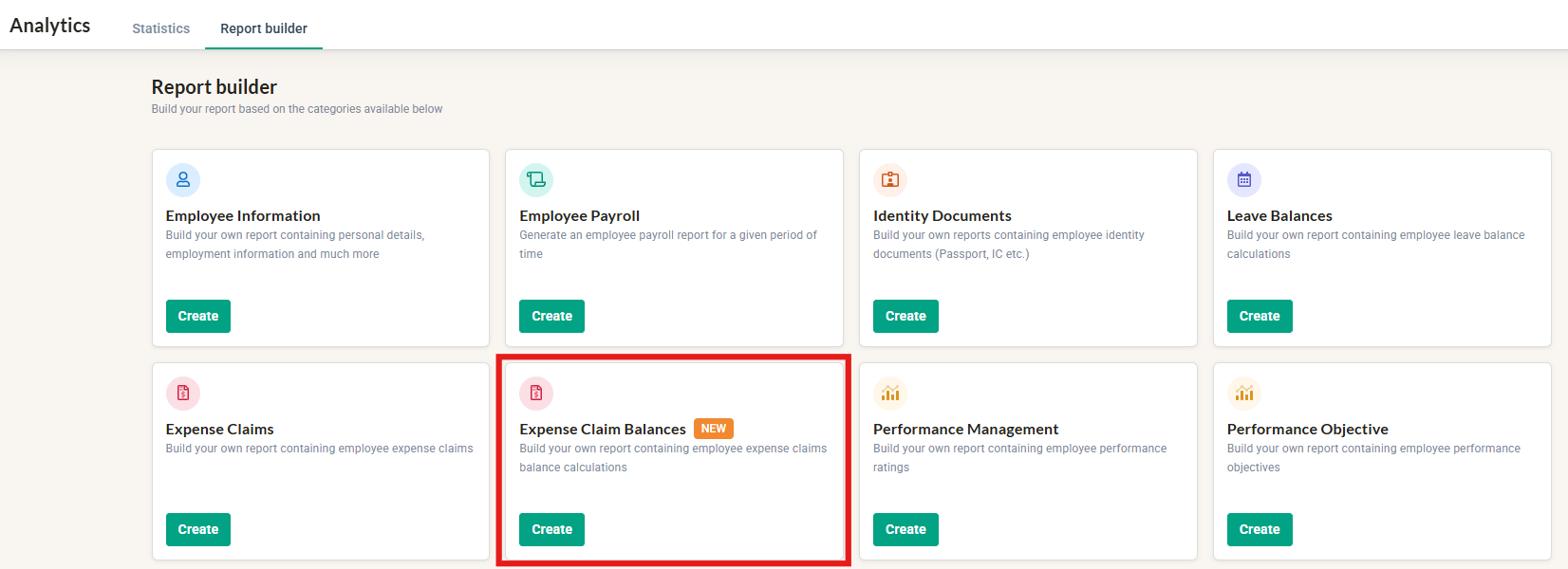
- Navigate to Analytics > Reports.
- Select Expense Claims Balances.
- Choose the Expense Claims Balance Effective Date.
- Select the year and date you would like the balances to be calculated as of.
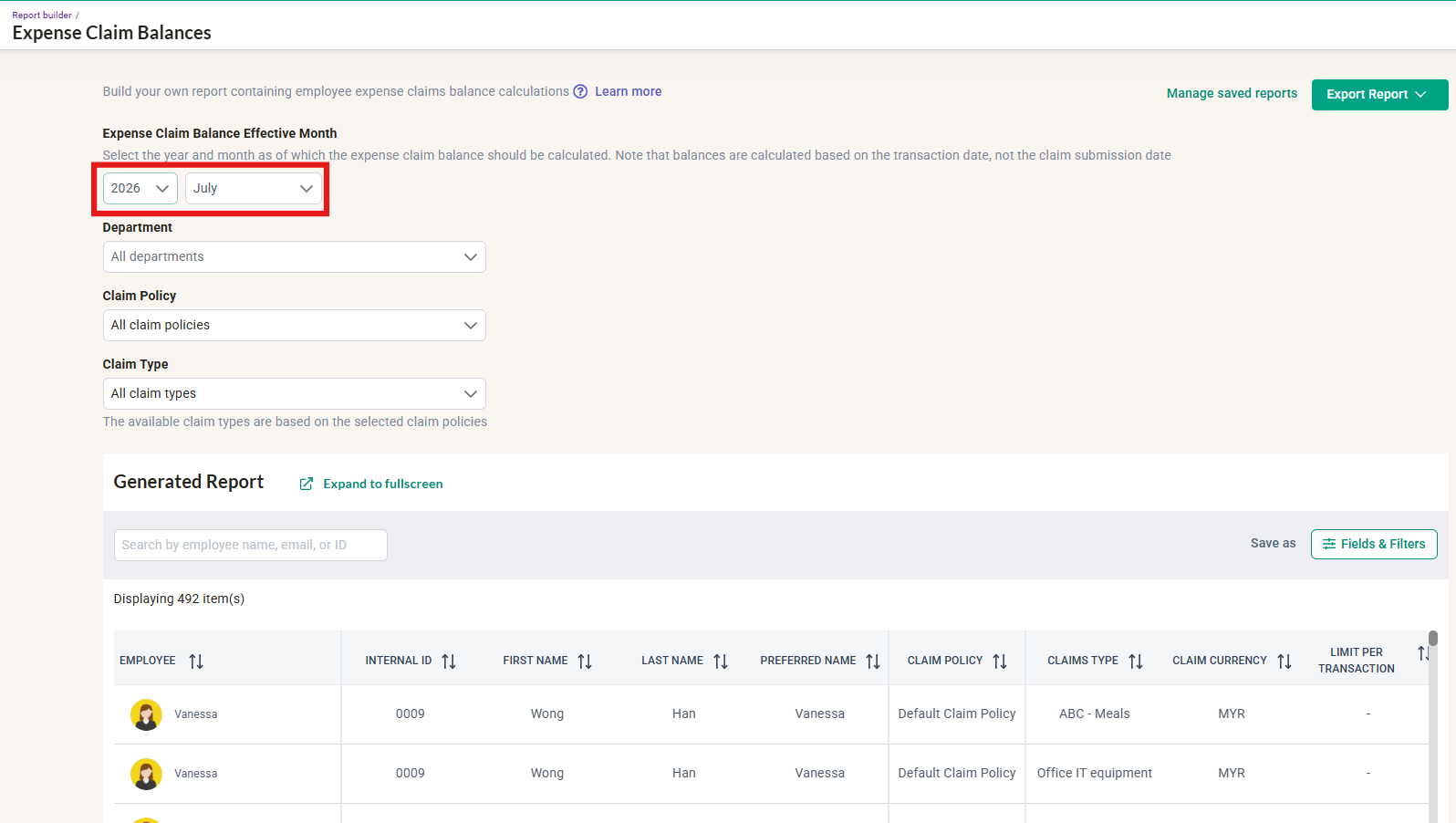
- Select the year and date you would like the balances to be calculated as of.
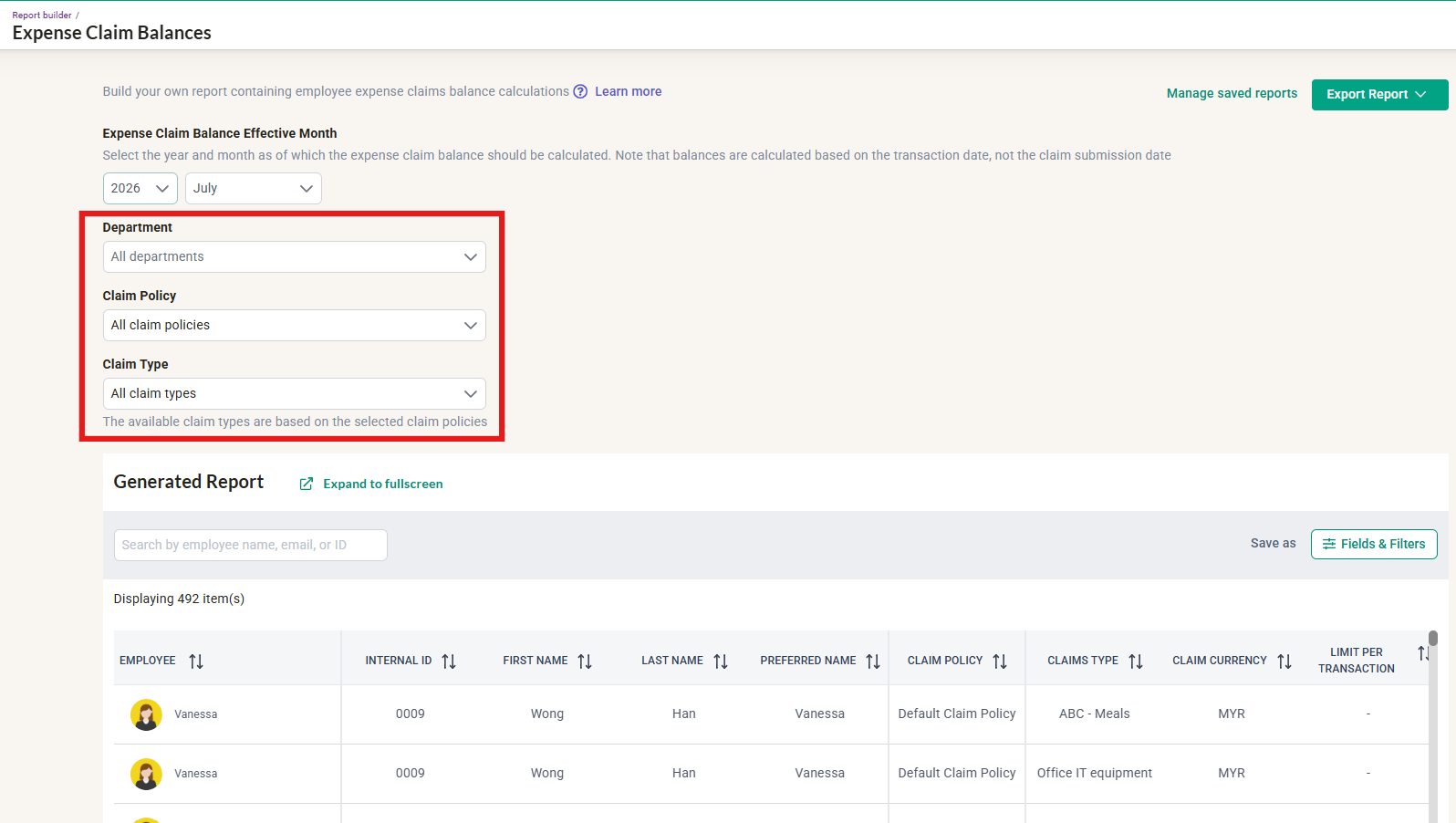
- Select the department, claim policy and claim types to include.
- Click into Fields & Filters, select required fields then click 'Apply Changes'
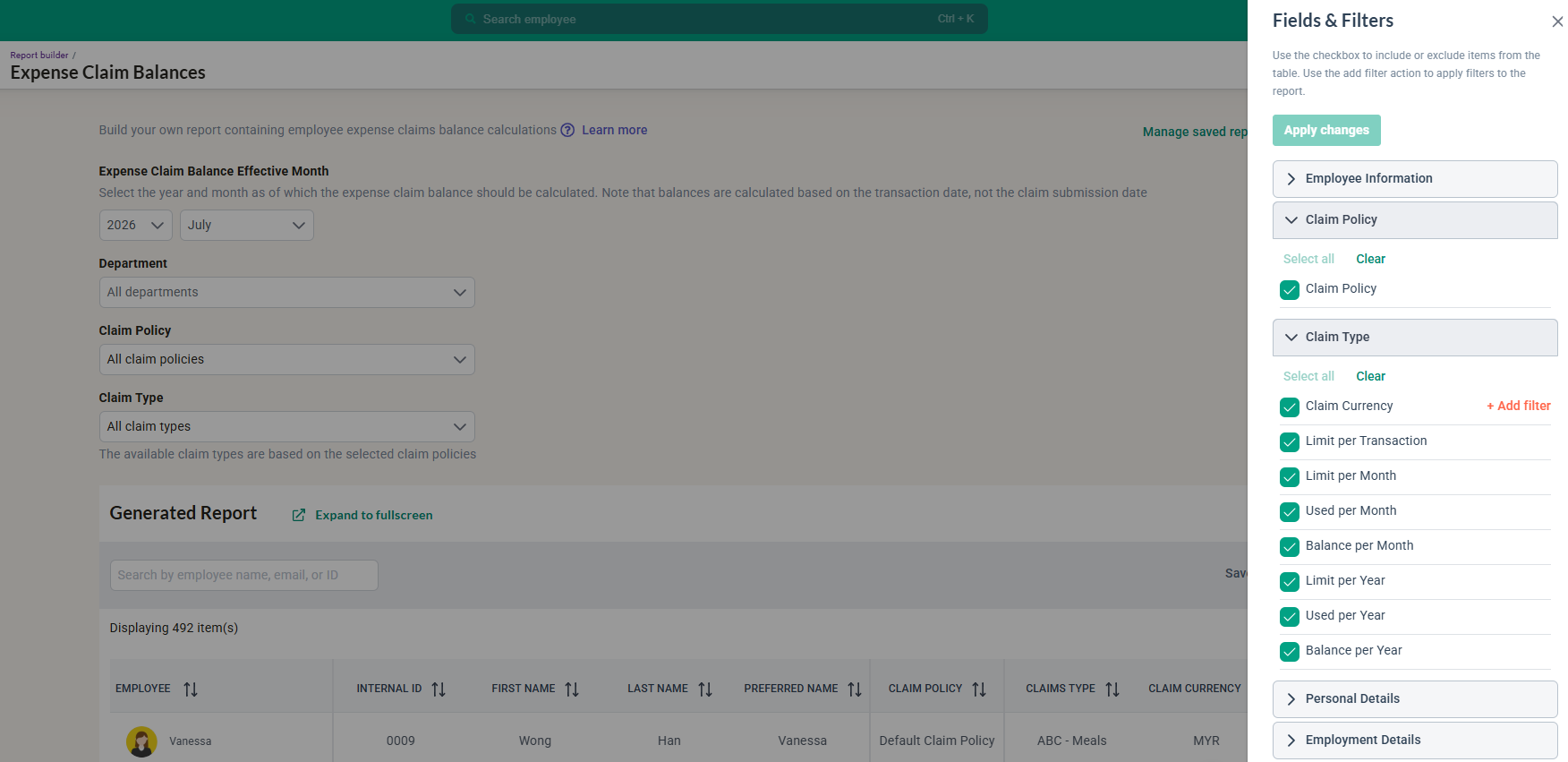
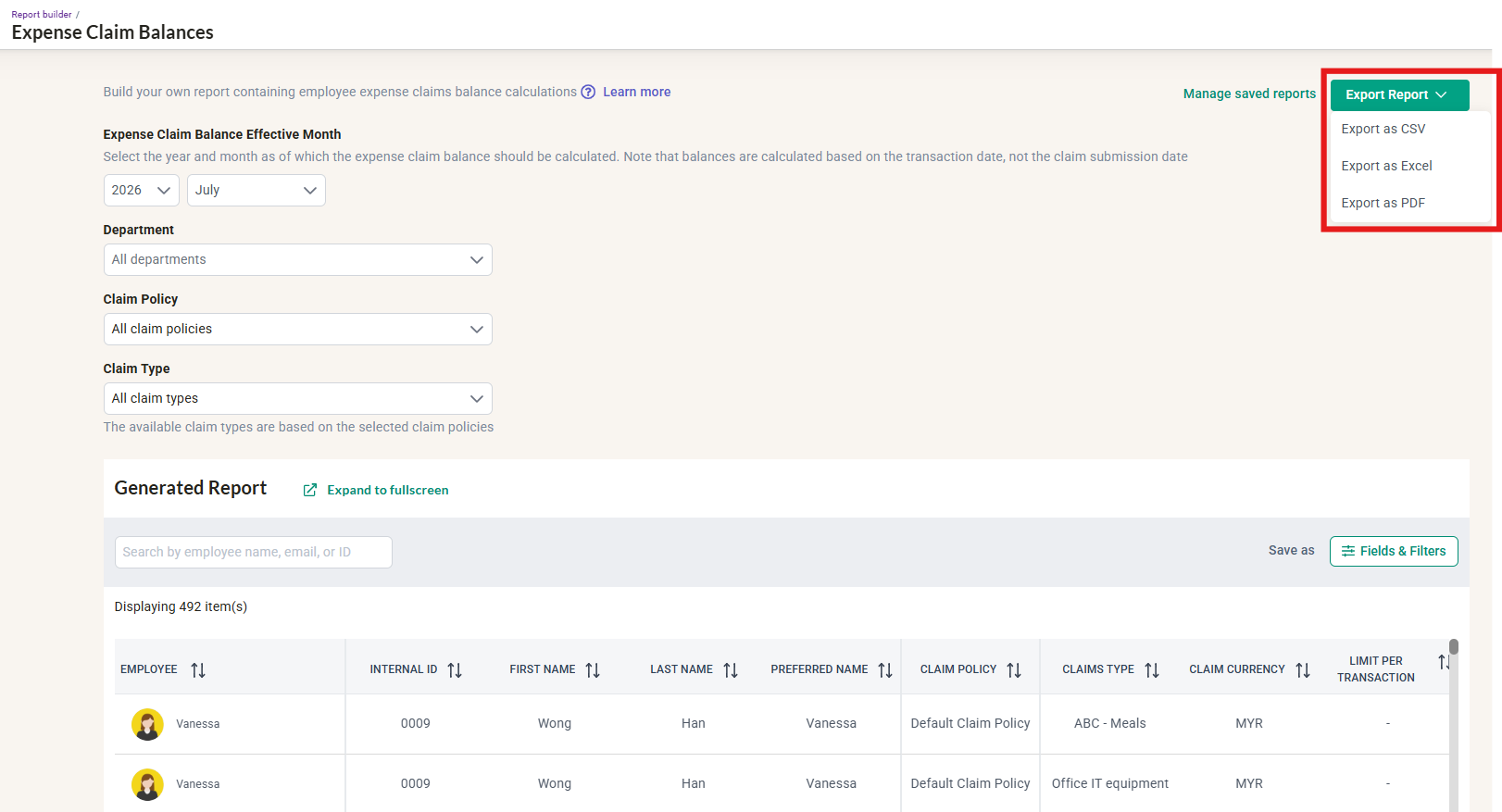
- Once the report is complete, proceed to export the report
NOTE : All available claim types are selected by default.
Export options
The report can be exported in the following formats for further analysis or record-keeping:
- CSV
- Excel (.xlsx)
Benefits
The Expense Claims Balance Report helps you:
- Monitor employees' available claim balances at a glance.
- Track claim usage against assigned claim policies.
- Generate accurate balance reports based on transaction dates.
- Export data for auditing, reporting, and reconciliation purposes.
Ownership
By: Arveena