![brioHR-logo-color.svg]](https://support.briohr.com/hubfs/brioHR-logo-color.svg)
1. Navigate to HR Lounge > Payroll.
2. Click on 'Run Payroll'.
3. You will be directed to the 'Adjust Payroll (Step 1)' page.
4. Search for or select the employee, then click the '+ Add Addition' button.
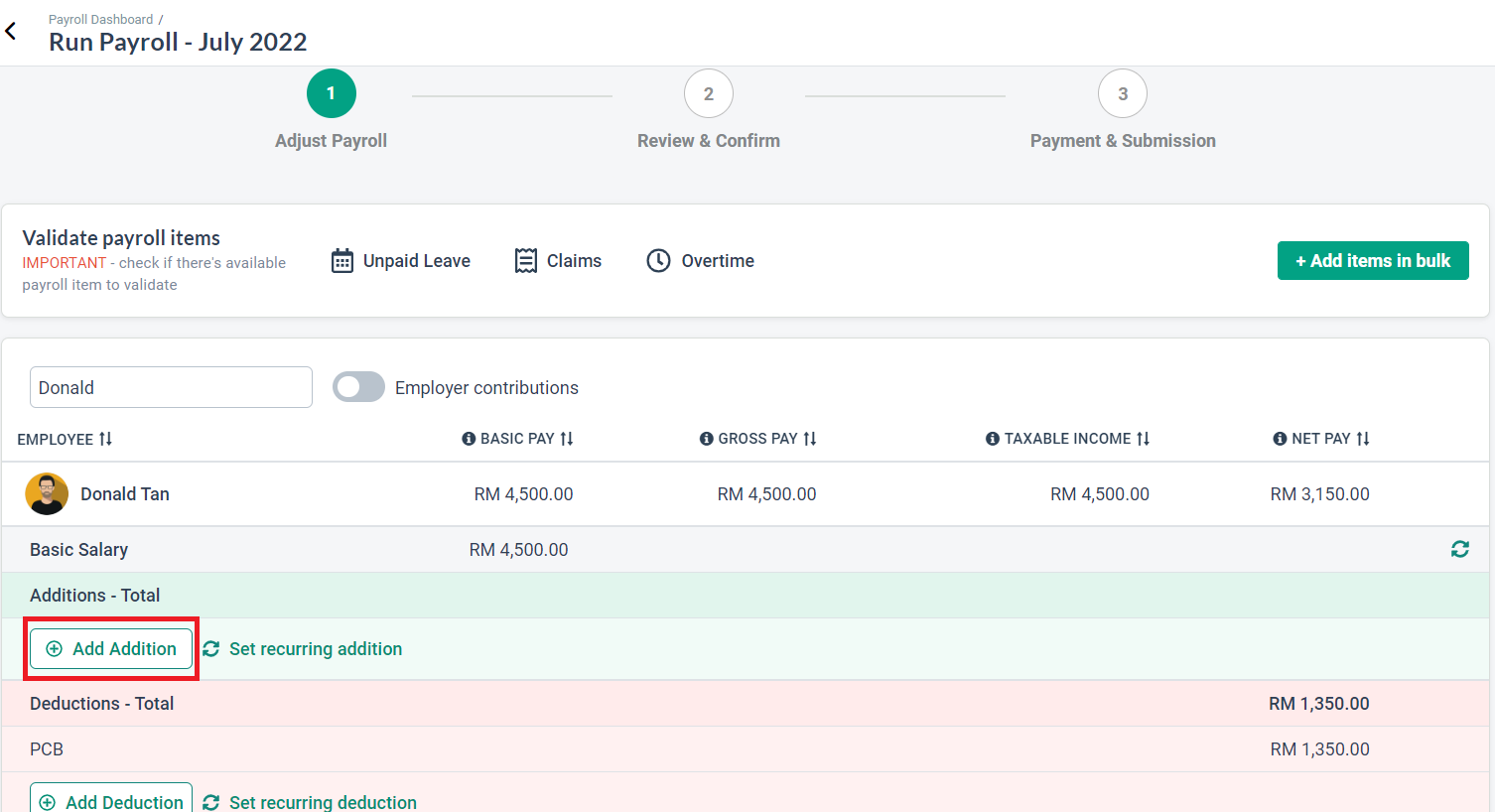
5. In the search bar, type 'Overtime' and select the relevant overtime payroll item.

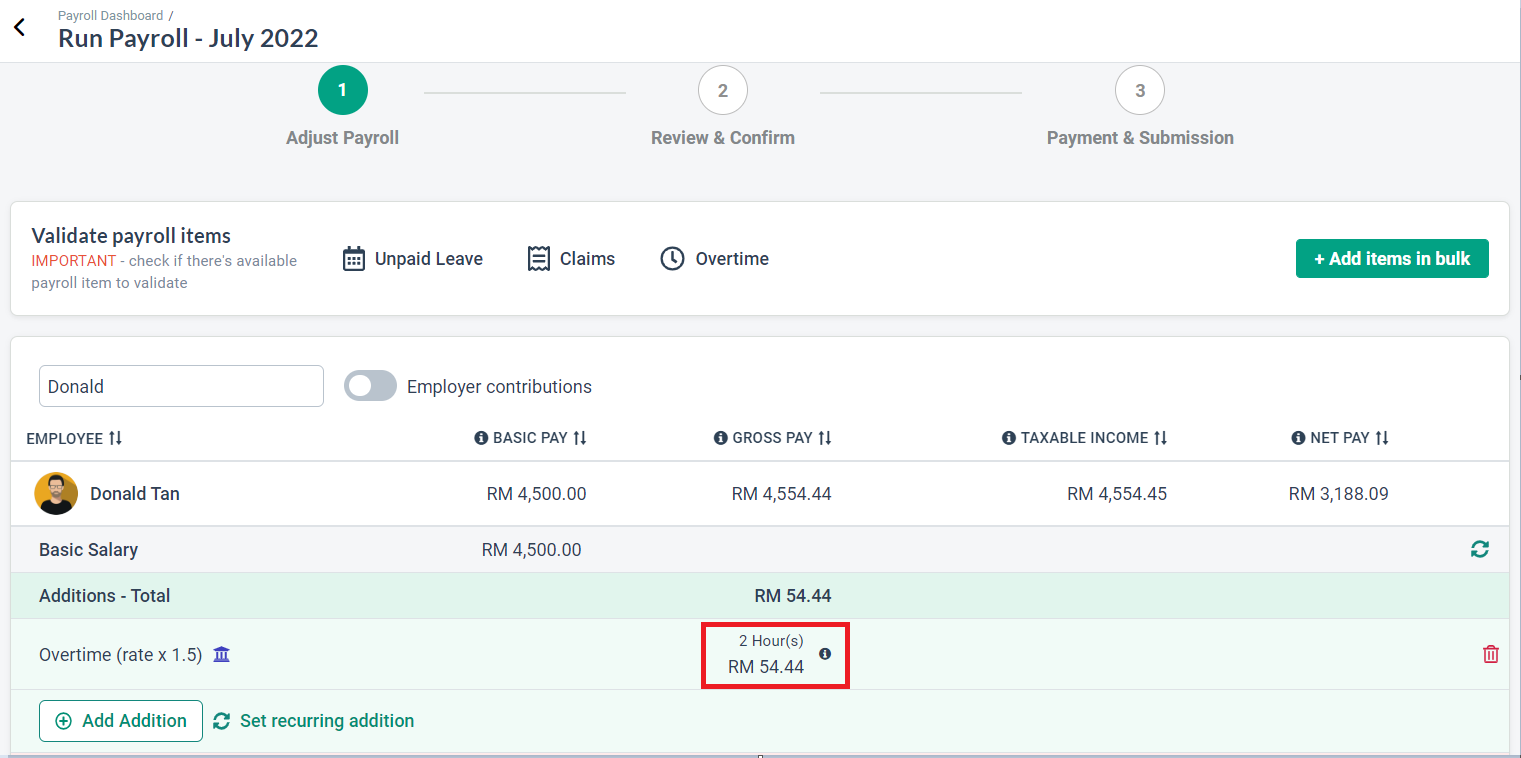
6. Enter the total number of overtime hours in the '+ Add Hours' column. The system will automatically calculate the corresponding amount, as illustrated in the sample screenshot below.
Need Assistance?
If you have any questions or require assistance, please reach out to our support team via live chat or email us at support@briohr.com.