![brioHR-logo-color.svg]](https://support.briohr.com/hubfs/brioHR-logo-color.svg)
Audience & Scope
Audience: HR Admin & Recruiters
Module: Recruitment
Country: Global
Pre-requisites: HR Module Permission for the Recruitment Module, including module settings access
Overview
The Recruitment module has a setting to allow candidates who have been rejected in the past to apply for other open jobs. This setting allows flexibility to choose how the system will handle returning candidates. If this setting is not enabled, any rejected candidates will stay in the rejected status and will not show up for screening when they apply for a new position.
Possible Scenarios and Outcomes
Scenario 1:
'Allow rejected candidates to apply to another job' - SETTING ENABLED
'Reject candidate' - SETTING ENABLED
A candidate applies for multiple jobs at one time. Candidate is rejected.
Outcome 1: Candidate is rejected from all jobs currently active. One rejection email is sent. Candidate will be able to apply for other open positions in the future. They will show in the recruitment module again under the SCREENING status.
Scenario 2:
'Allow rejected candidates to apply to another job' - SETTING DISABLED
'Reject candidate' - SETTING ENABLED
A candidate applies for one or multiple jobs at one time. Candidate is rejected.
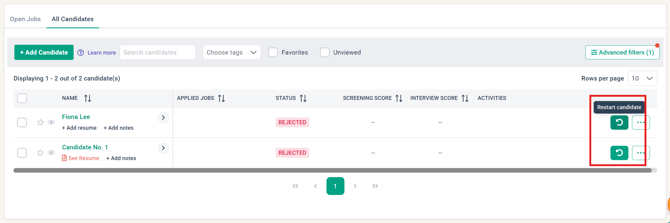
Outcome 2: Candidate is rejected from all jobs currently active. One rejection email is sent. Candidate will remain in REJECTED status unless Restarted, which will bring the candidate profile back to SCREENING status.
Enabling the Setting
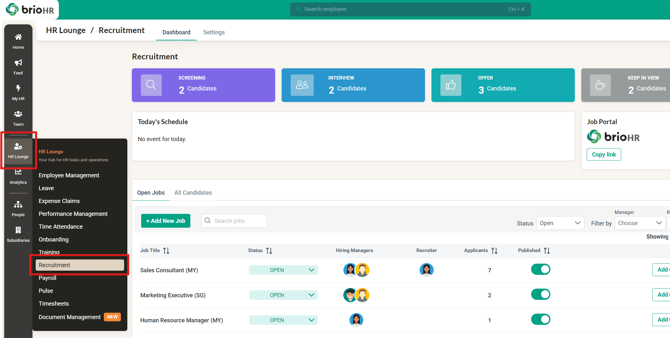
1. Go to HR Lounge > Recruitment
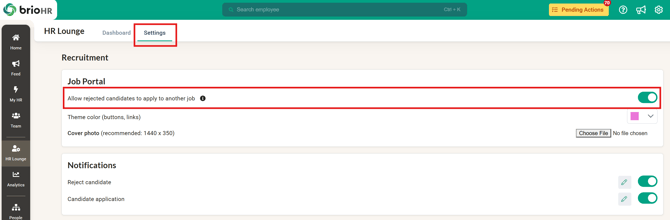
2. Go to Settings
3. Under Job Portal, toggle on 'Allow rejected candidates to apply to another job'
NOTE:
By default, the 'Allow rejected candidates to apply to another job' setting is DISABLED.
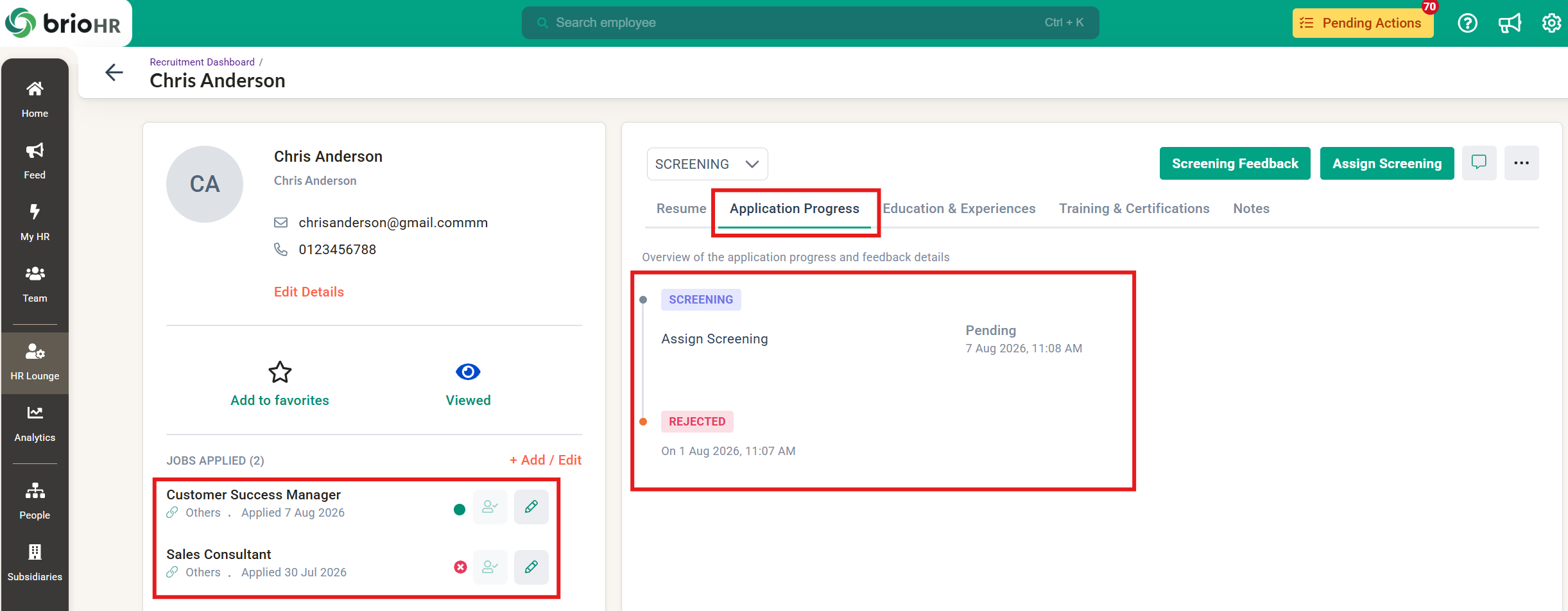
4. You can track candidates' application history by viewing the candidates' profiles:
- View all positions the candidate has applied to in the past (if previously rejected, will be inactive). The green dot represents the active job application.
- Timeline that shows when the candidate was rejected in the past.
NOTE:
The candidate profile will show job applications based on the candidate's email address. If a candidate uses different email addresses for different applications, the application progress will not be able to combine the candidate's application history.
Common Issues/FAQ
Q1: What happens if a candidate who applied to multiple jobs is hired?
A1: The job(s) the candidate was not hired for will be in inactive status.
Q2: If a previously rejected candidate applies to a new job opening with a new resume, will it show the new or old resume?
A2: The new resume will replace the old resume.
Related Articles
How to Enable Reject Candidate & Candidate Application Notifications
Ownership
By: Aqilah