![brioHR-logo-color.svg]](https://support.briohr.com/hubfs/brioHR-logo-color.svg)
Audience & Scope
Audience: HR Admin
Module: Payroll
Country: Malaysia
Pre-requisites: Access to HR Lounge Payroll module & Employee Payroll report within Analytics, assigned as the Payroll Manager for respective payroll centers.
The Employee Payroll Report has been enhanced to provide greater visibility of Tax Reliefs (TP1) added during monthly payroll processing.
With this enhancement, admins can now easily view the Tax Relief items and amounts applied to an employee for each payroll cycle, making it easier to verify the reliefs included in the payroll calculation.
What’s New?
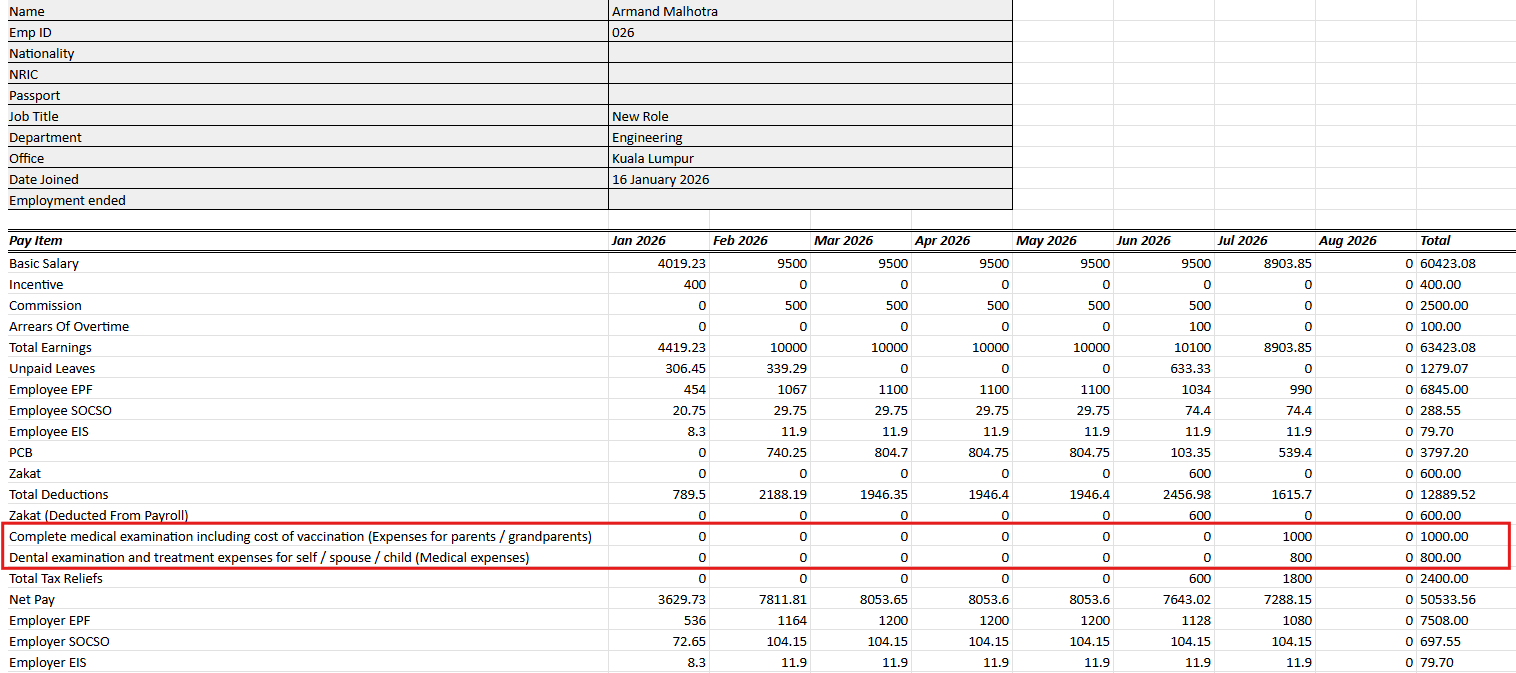
When Tax Reliefs are added to an employee’s payroll cycle, the Employee Payroll Report will now display:
- Each Tax Relief item by name and its corresponding amount.
- A Total Tax Reliefs subtotal showing the total amount of tax reliefs applied.
- Tax Reliefs positioned after Total Earnings and before Employee EPF.
The same information will also be included in the exported Excel file, following the same order and format as the on-screen report.
Example of TP1 items that have been added into Payroll cycles:
How to add Tax Reliefs?
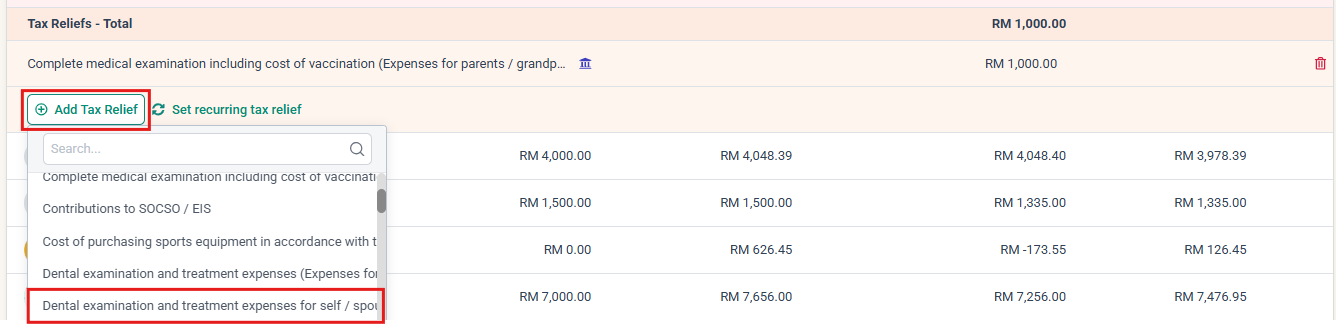
Add tax reliefs into payroll by clicking on the +Add Tax Relief button, then select the payitem and fill in the amount.
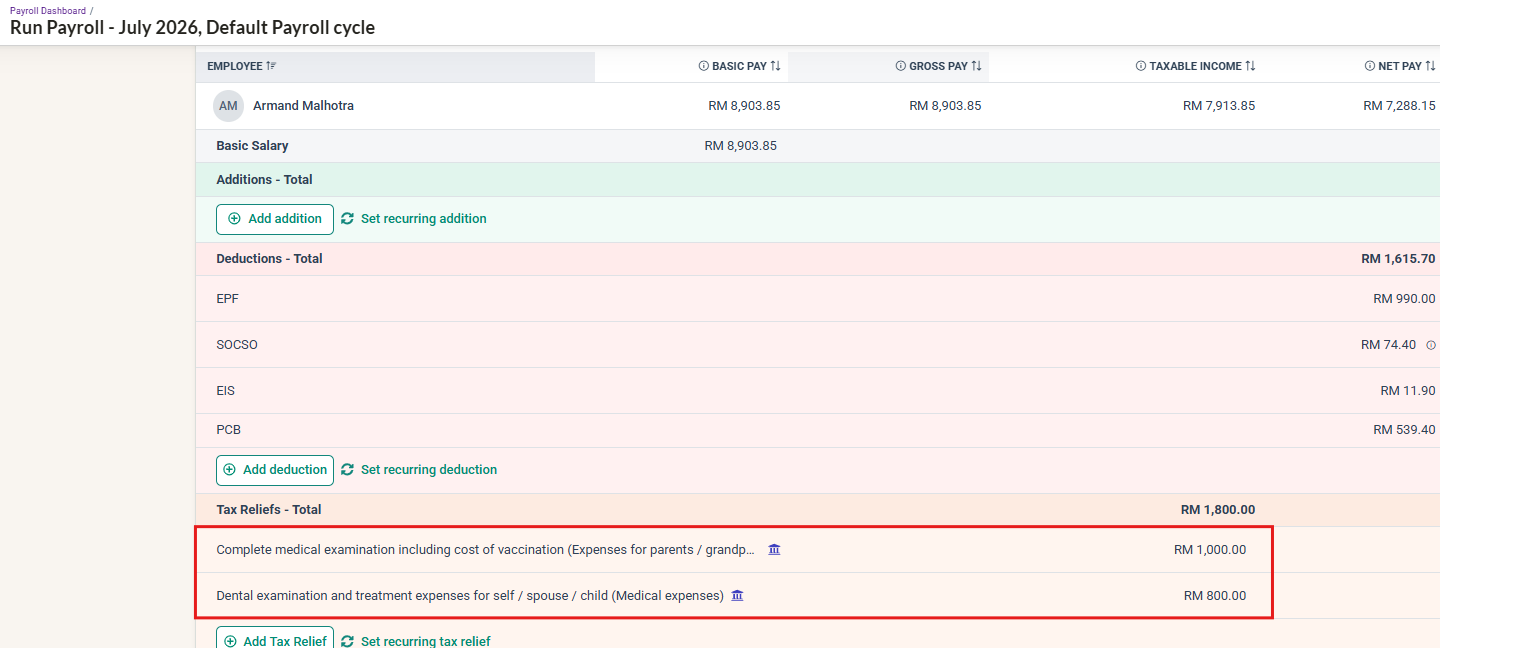
Example of TP1 items added to Payroll cycles, appearing in Employee Payroll Report:
How to access the Employee Payroll report?
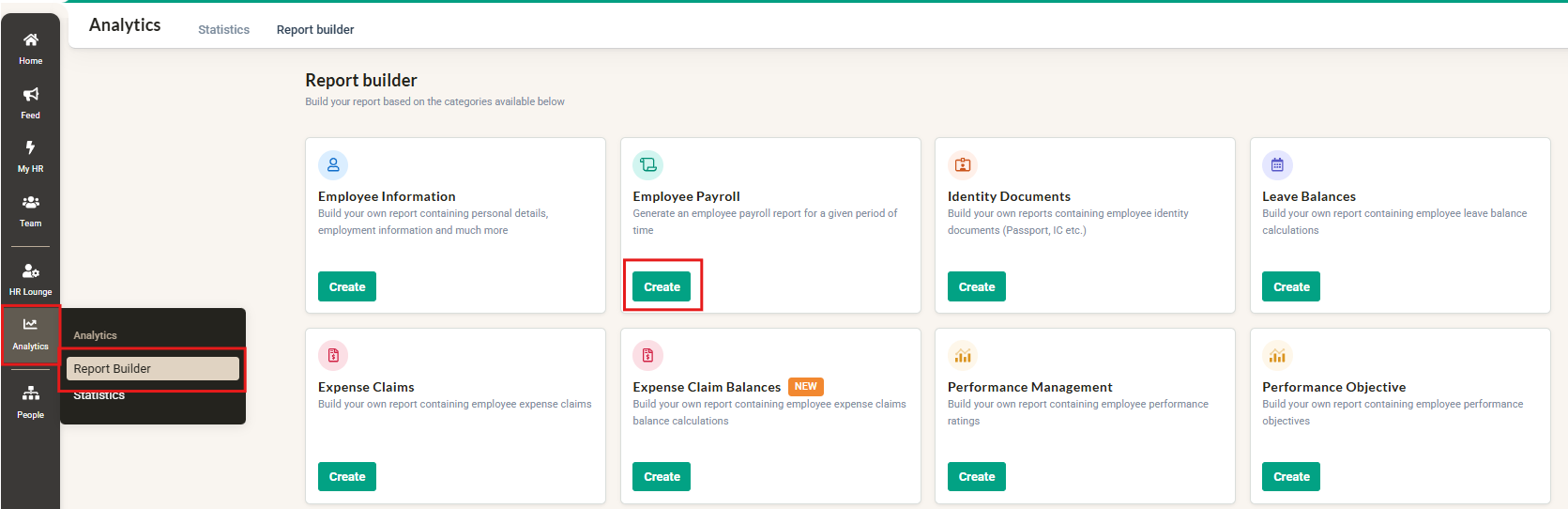
Click into Analytics then into Employee Payroll and click create
Sample of the report in brioHR:
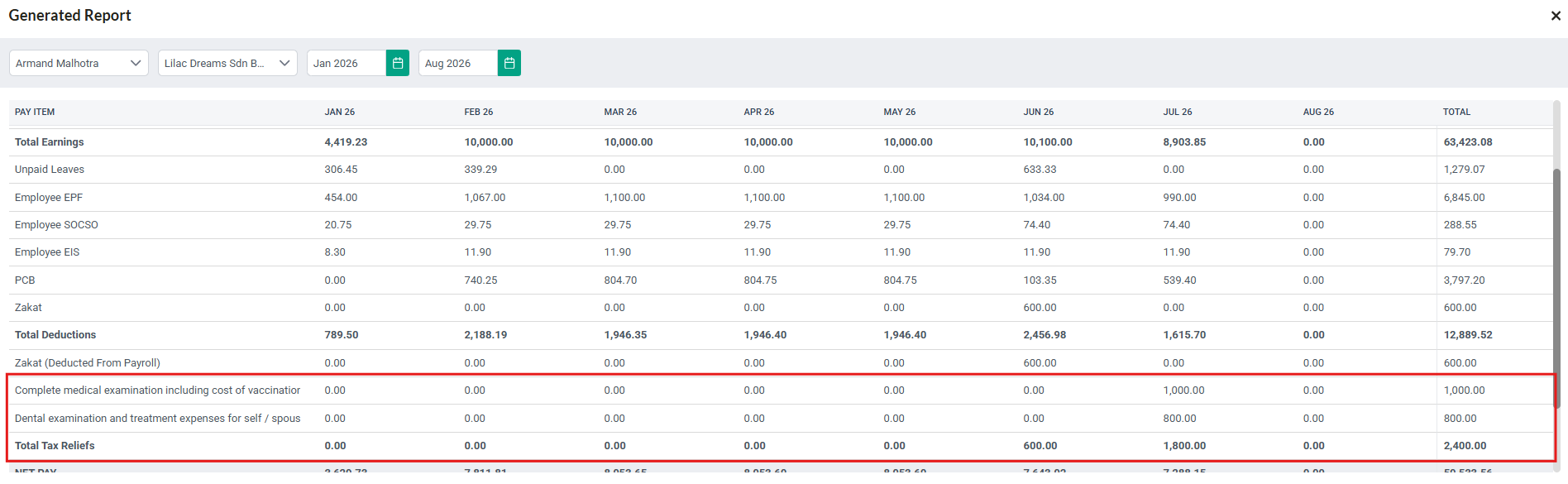
Sample of the report downloaded in Excel:
NOTE:
When the report is generated for multiple months, Tax Reliefs will be displayed according to the month in which they were applied.
If a particular Tax Relief was only added in certain months, the corresponding amount will be displayed under those months, while months without the relief will show 0.00.
The Total column will also reflect the accumulated amount of each Tax Relief item across the selected months.
If no Tax Relief items were added for the selected payroll period, the Tax Reliefs section will remain hidden from the report generated.
This enhancement provides clearer visibility of Tax Reliefs applied during payroll processing, making it easier for admins and employees to verify the reliefs included in their payroll calculations.
Ownership
By: Arveena