![brioHR-logo-color.svg]](https://support.briohr.com/hubfs/brioHR-logo-color.svg)
Audience & Scope
Audience: HR Admin and Payroll Manager
Module: Payroll
Country: Global
Pre-requisites: HR Module Permission for Payroll Module
Step-by-Step Instructions
NOTE:
Cost center(s) must be set up and assigned to employees in order for them to show in the payroll reports. You can check the cost center assignment (including effective date) in the employee profile > job history.
Learn more: Create and Assign Cost Centers as an Admin
1. In HR Lounge > Payroll > Dashboard > choose the payroll month you want to download the report for.
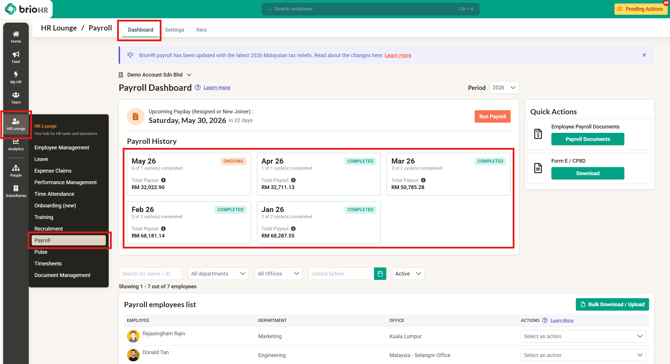
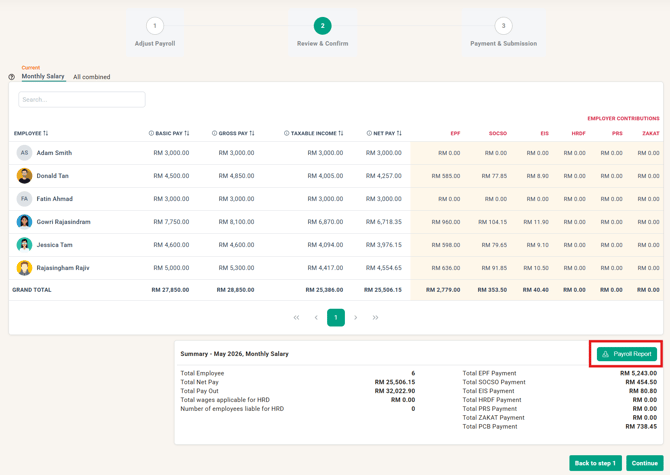
2. If the payroll month is not yet completed, you can:
- Download the draft payroll report when you are running payroll
- Download the payroll report after completing the payroll cycle
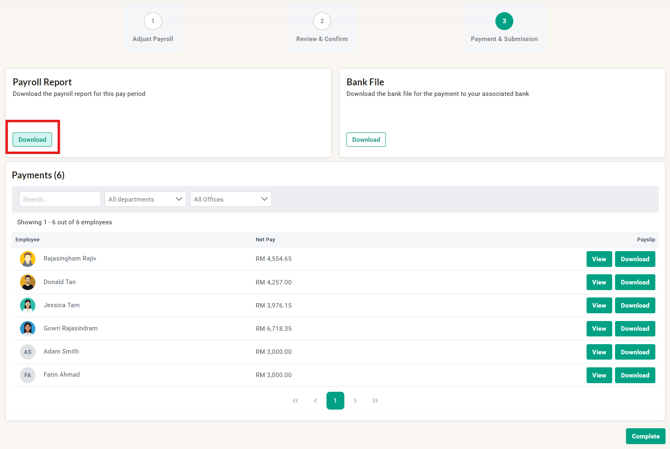
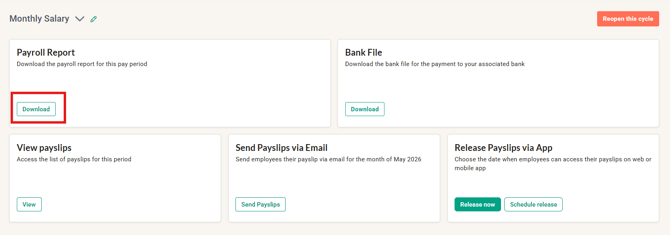
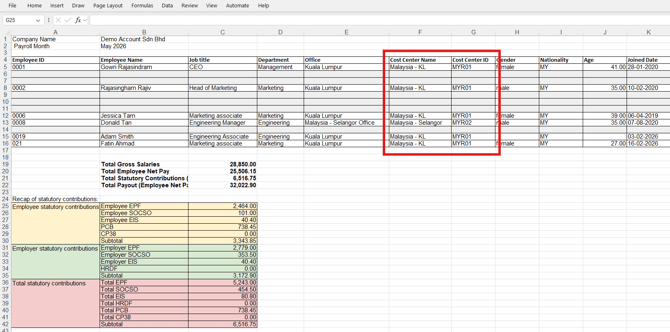
3. The payroll report will be downloaded as an Excel, and you will find the cost center information in columns F and G.
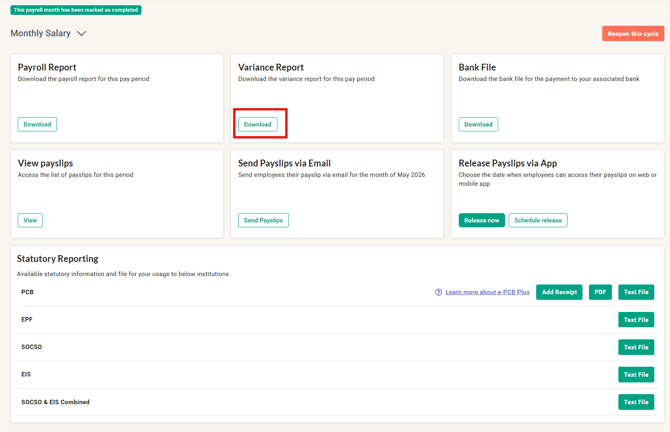
4. Once you have completed the payroll month, you can find the payroll variance report.
5. The payroll variance report will be downloaded as an Excel, and you will find the cost center information in columns F and G.
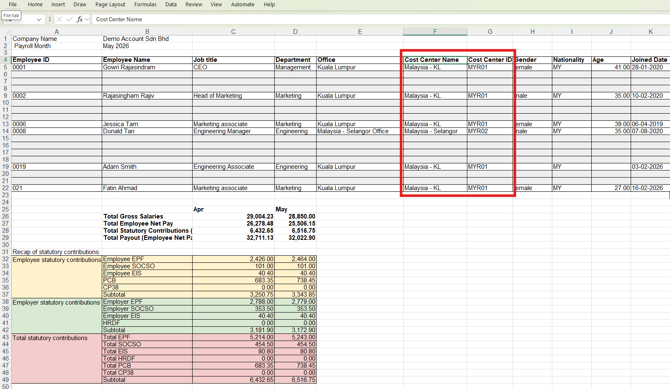
NOTE: The cost center will follow the effective date in the employee's job history data.
Cost Center Reporting Logic:
The Cost Center reflected in your reports depends on whether you are viewing a Specific Cycle or a Combined Cycle.
1. For Specific Cycles
-
The report captures the employee's Cost Center exactly as it stands on the Pay Date.
2. For Combined Cycles
The report is dynamic and reflects the "latest known" Cost Center based on the following timing:
-
During the Payroll Month: The report shows the Cost Center as of the date the report is downloaded.
-
After the Month Ends: Once the payroll month has concluded, the report defaults to the Cost Center assigned on the last day of that month.
-
Post-Closure Changes: If a Cost Center is updated retroactively after the month has passed, any newly downloaded reports will reflect that updated assignment.
Common Issues/FAQ
Q: I have assigned my employees to the cost centers recently, but the cost center is empty for the previous payroll reports.
A: The cost center will show based on the effective date in the employee's job history. Please check the employee profile > job history for the effective date.
Related Articles
Create and Assign Cost Centers as an Admin
Ownership
By: Aqilah