![brioHR-logo-color.svg]](https://support.briohr.com/hubfs/brioHR-logo-color.svg)
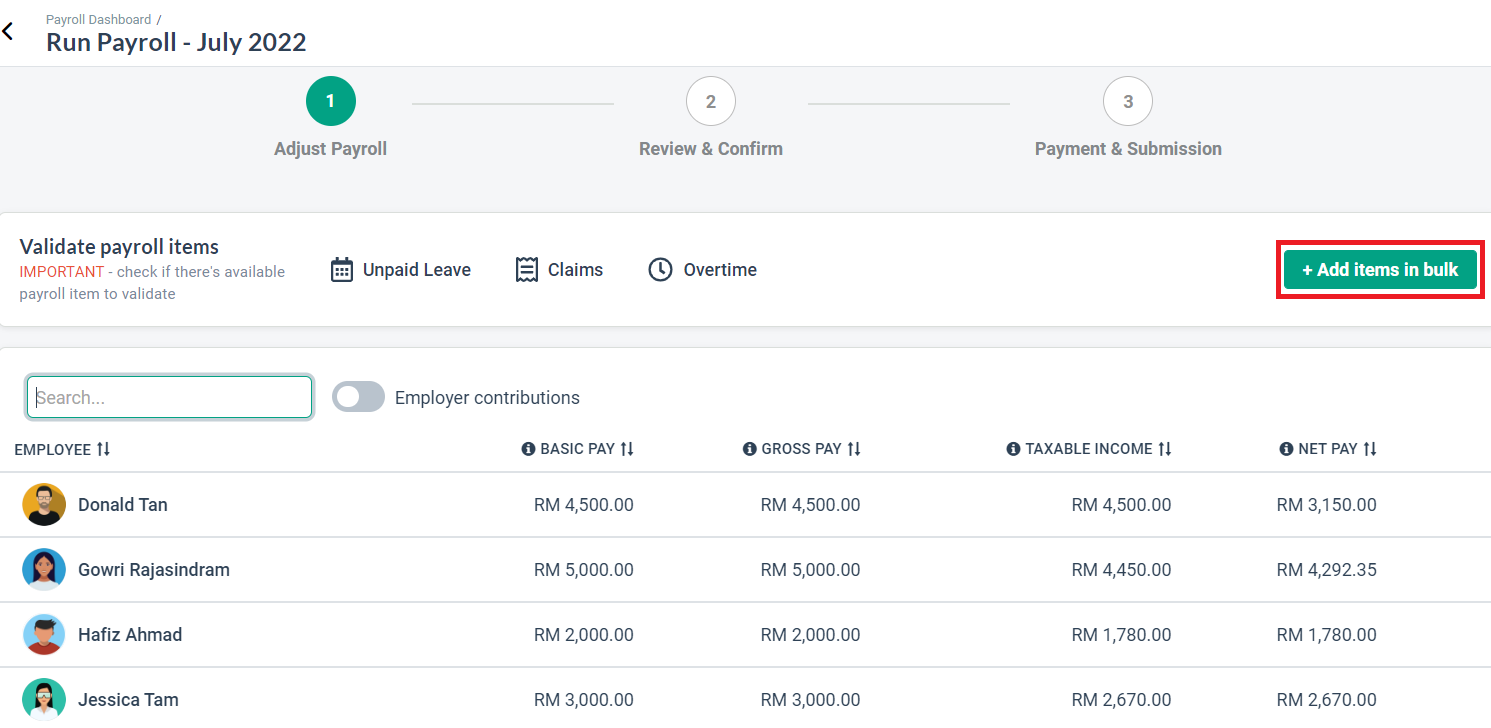
1. Go to HR Lounge > Payroll.
2. Click on Run Payroll.
3. You will be directed to the Adjust Payroll (Step 1) page.
4. In the Adjust Payroll Stage, click the Overtime button to open the Overtime Multi Rates table
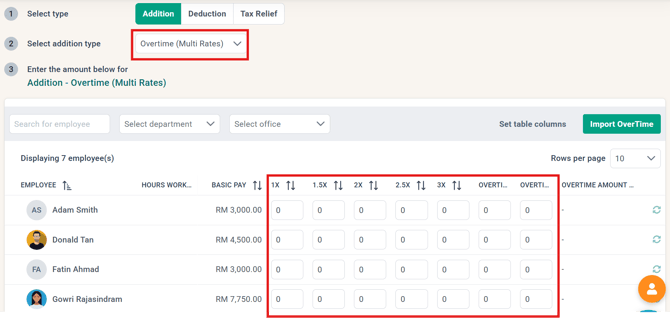
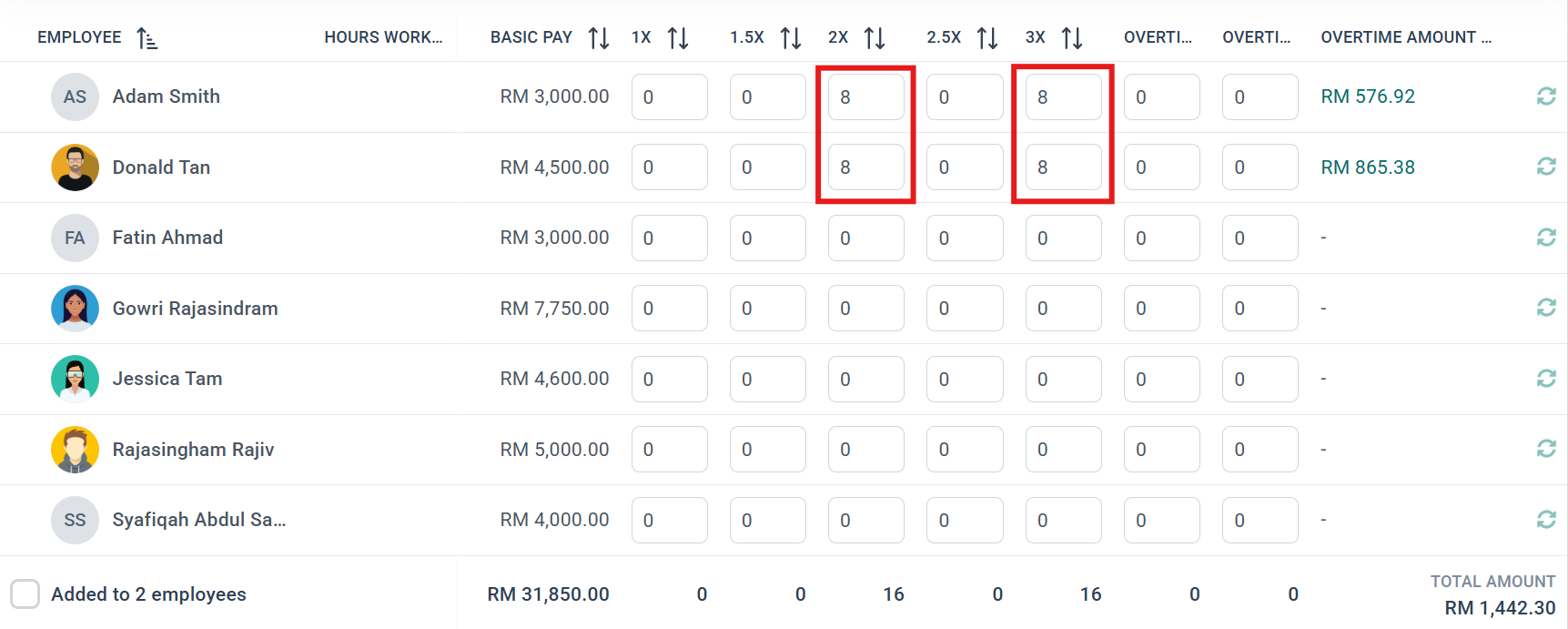
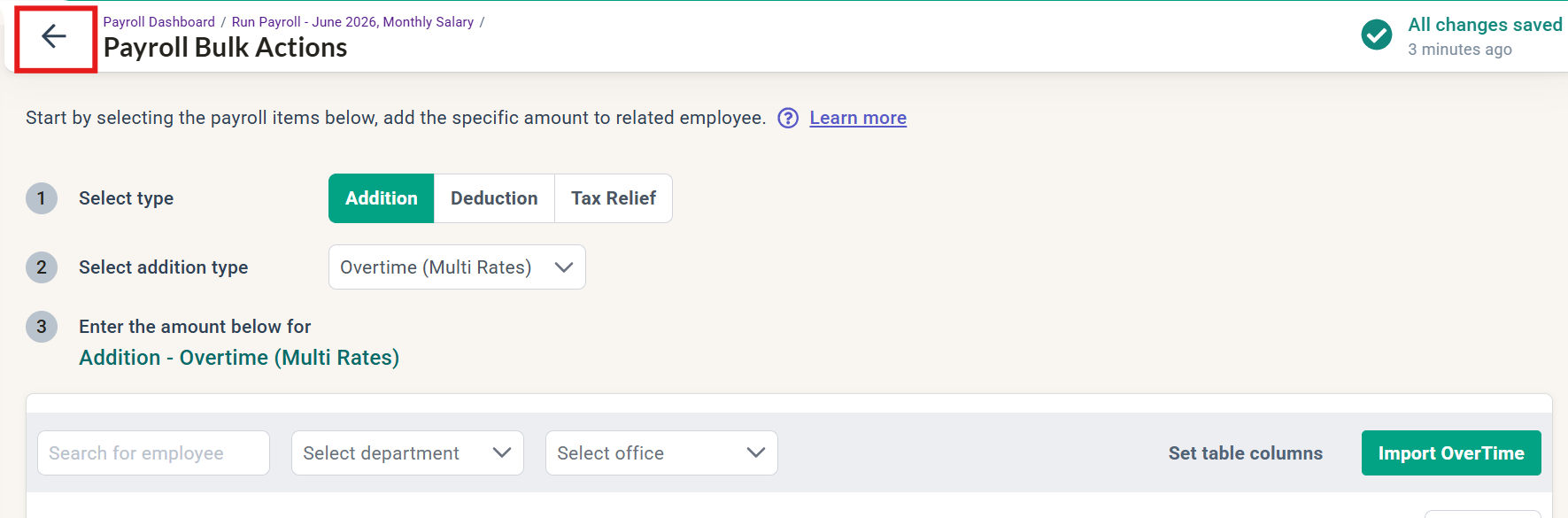
5. Enter the total hours according to the applicable multiplier.
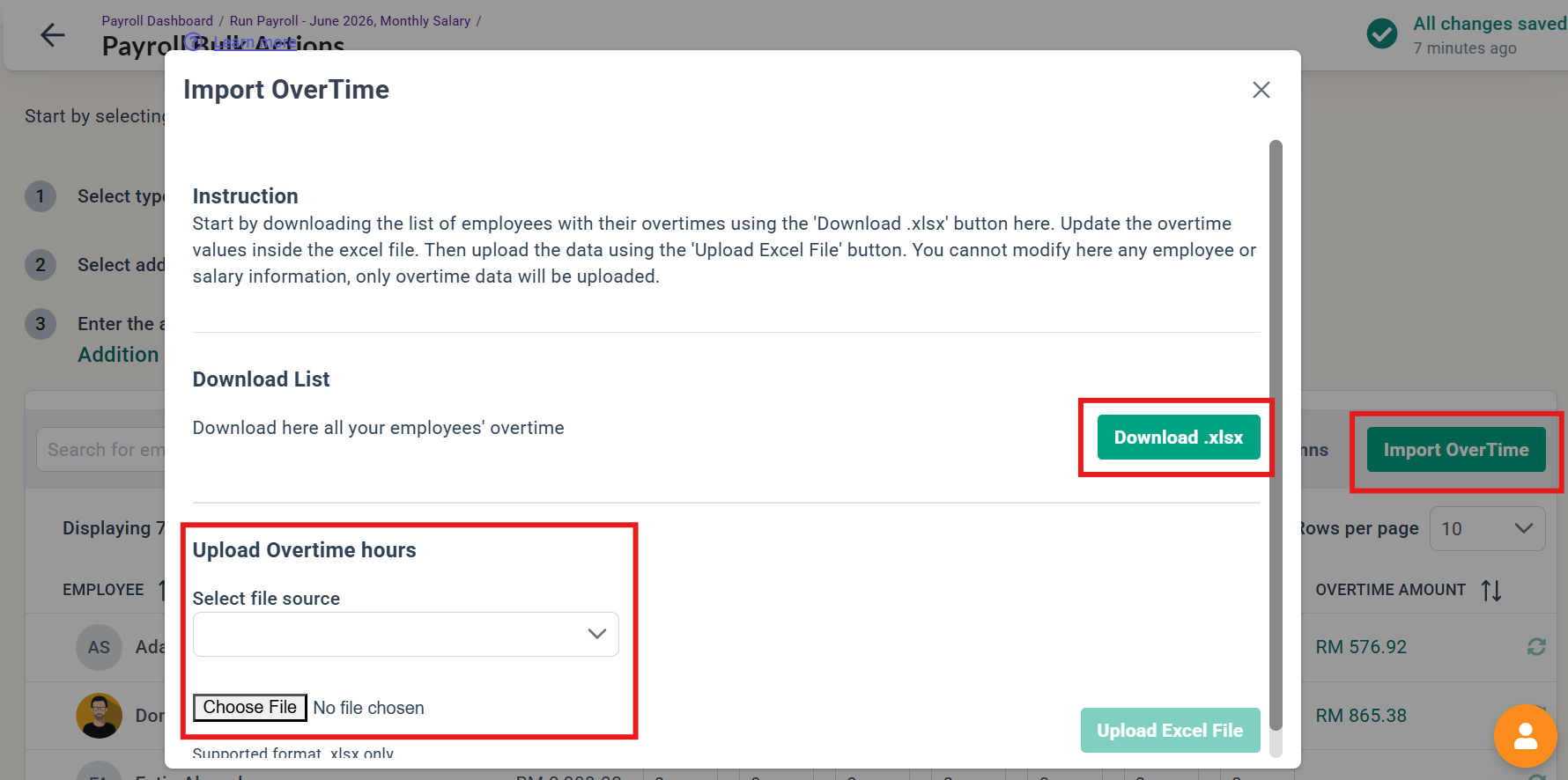
6. If needed, the Import OverTime function could also be used. You can download an Excel template, include the OT data in the excel, and reupload it to reflect in the payroll process.
7. After all the hours have been entered correctly, return to the adjust payroll screen.
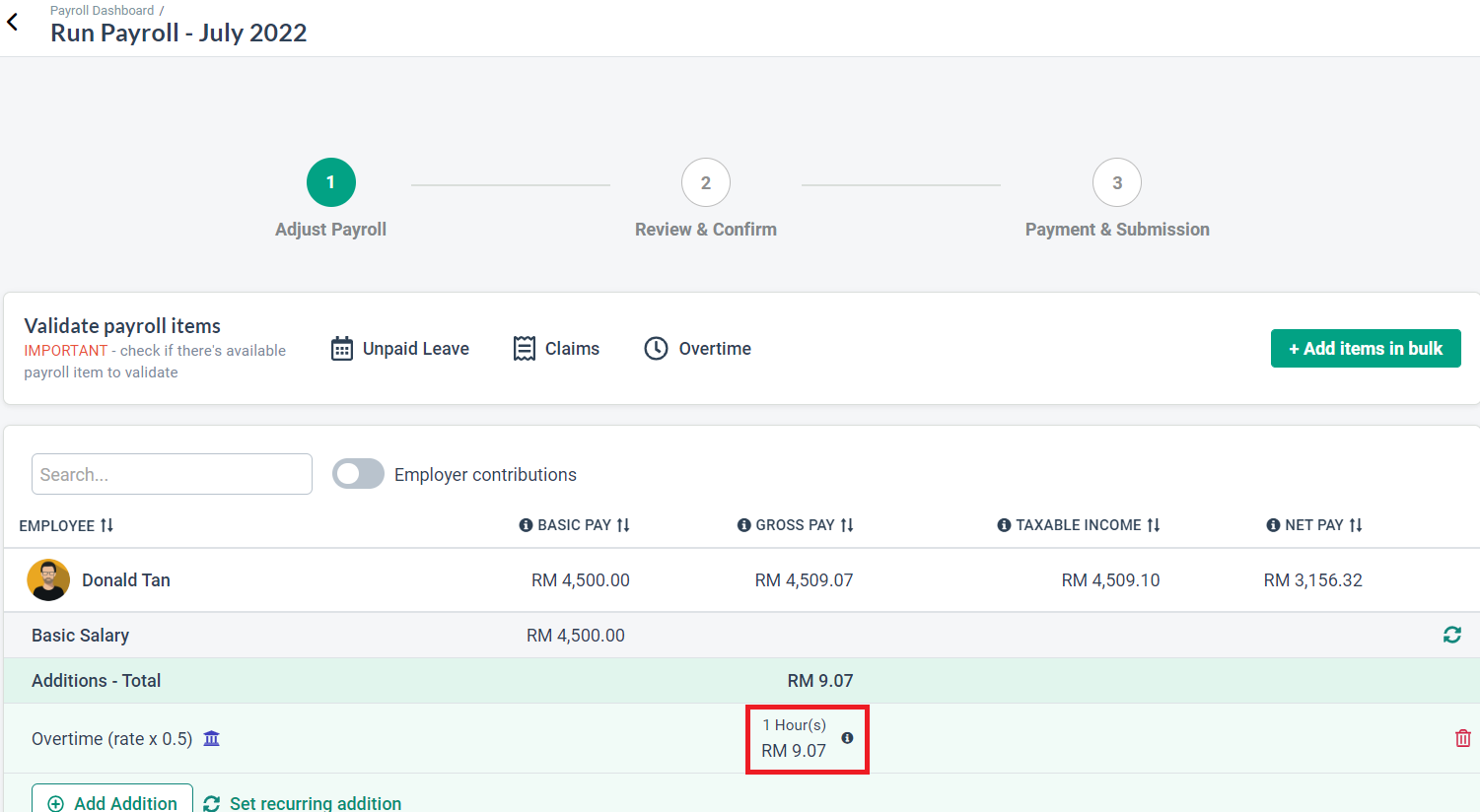
8. Click on any employee to verify that the amount has been applied correctly before proceeding to complete the payroll (Steps 2 & 3).
Need Assistance?
If you have any questions or require assistance, please reach out to our support team via live chat or email us at support@briohr.com.