![brioHR-logo-color.svg]](https://support.briohr.com/hubfs/brioHR-logo-color.svg)
Audience: HR Admin
Module: Payroll
Country: Malaysia
Pre-requisites: Access to HR Lounge Payroll module
You can easily calculate your EPF (Employees Provident Fund) contributions using the official KWSP (Kumpulan Wang Simpanan Pekerja) online calculator. Follow these simple steps:
1. Access the KWSP Calculator
Visit the official KWSP EPF Contribution Calculator.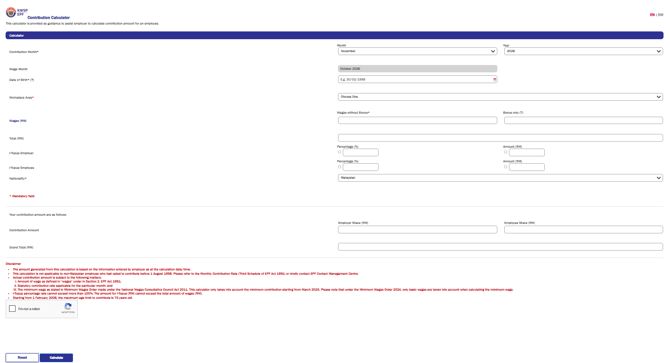
2. Enter the Required Details
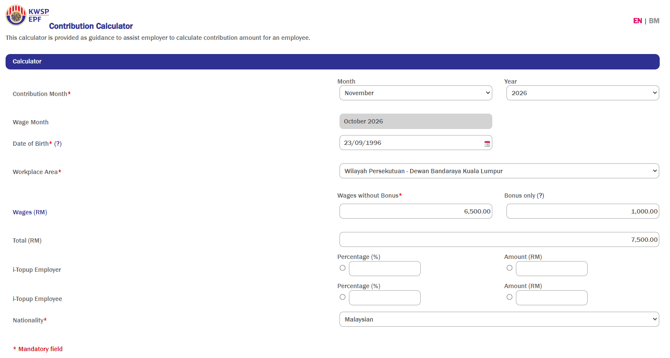
Fill in the required fields:- Contribution Month
- Date of Birth (Employee)
- Workplace Area
- Wages (without Bonus / Bonus amount only)
- Additional EPF contribution by Employee/Employer
- Nationality
IMPORTANT:
1) All fields with the * icon are mandatory to be filled in.
2) If the employer or employee contributes more than the standard EPF rate, enter the additional contribution percentage or amount in the i-Topup Employer/ Employee field.Example:
3. Calculate the EPF Contributions
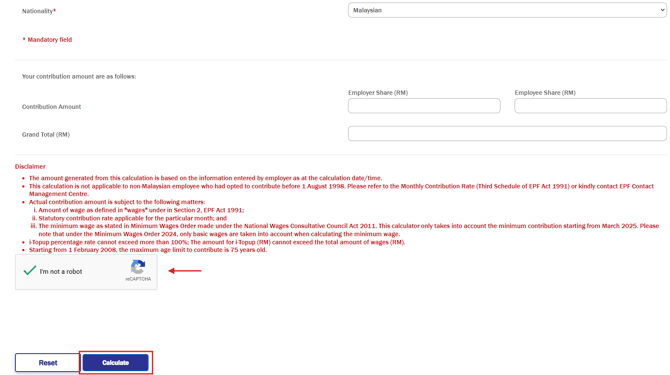
Once all the details are completed, click the Checkbox to perform verification then click Calculate to view the EPF contribution amounts for both the employer and employee.Tip: Double-check the information entered before calculating to ensure the contribution amounts are accurate.
4. View the EPF Contributions
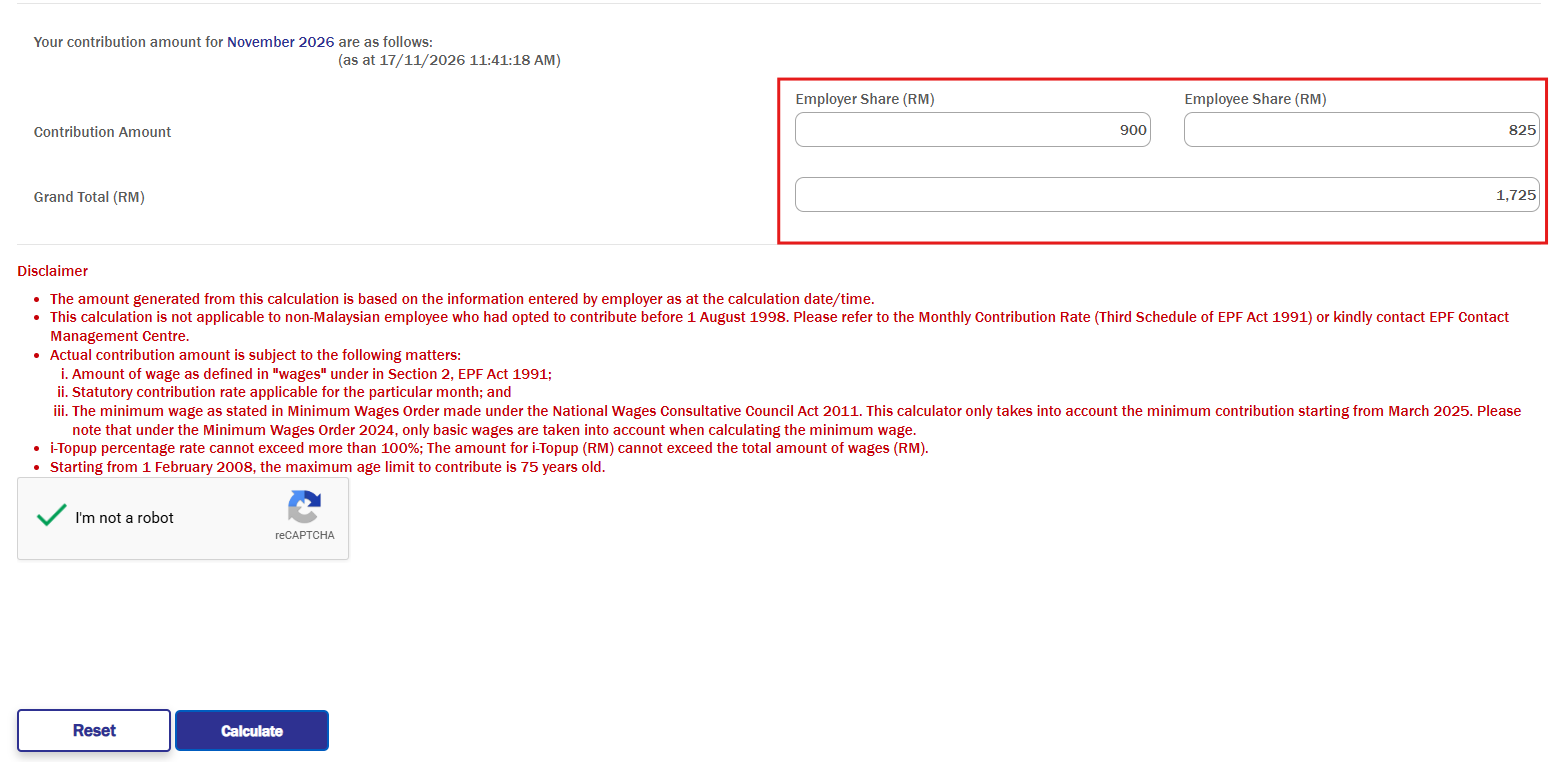
The contribution amounts of both Employer and Employee shares will be shown on the page. Check these amounts captured against the amounts captured in your payroll calculations.
Cross Check EPF calculations in brioHR
1. Navigate to HR Lounge > Payroll module.
2. Click into the relevant payroll cycle.
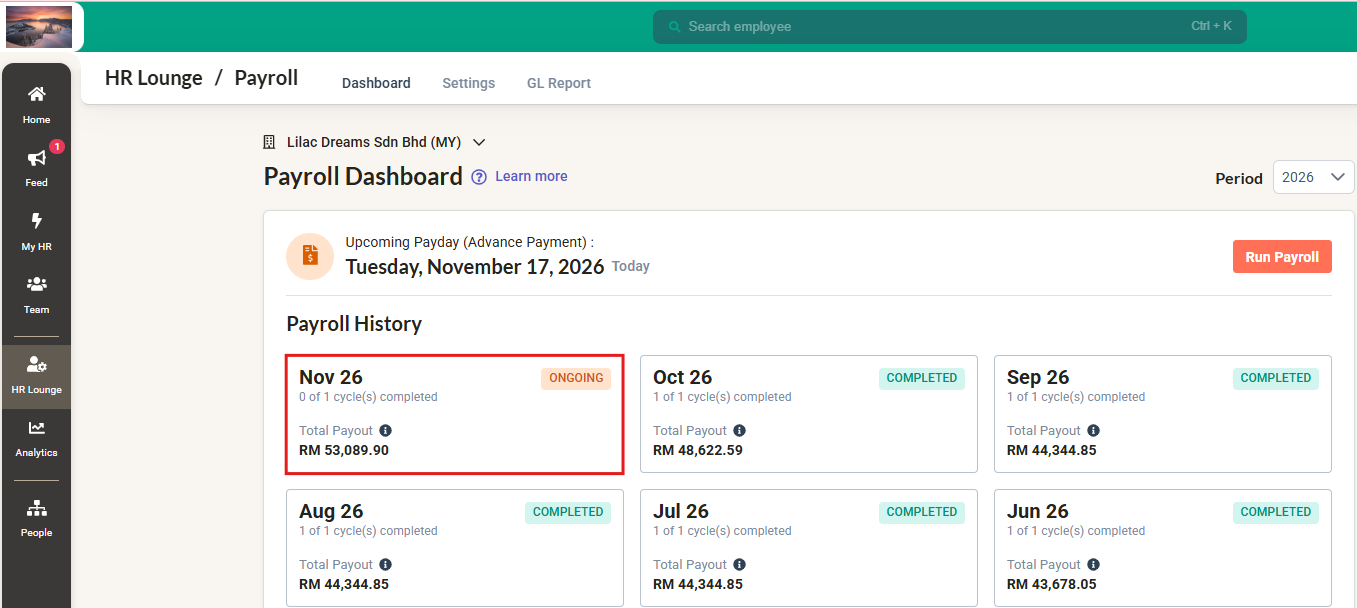
3. Select the employee which you would like to check the contribution amounts.
4. Check the EPF contribution under the Deductions section.
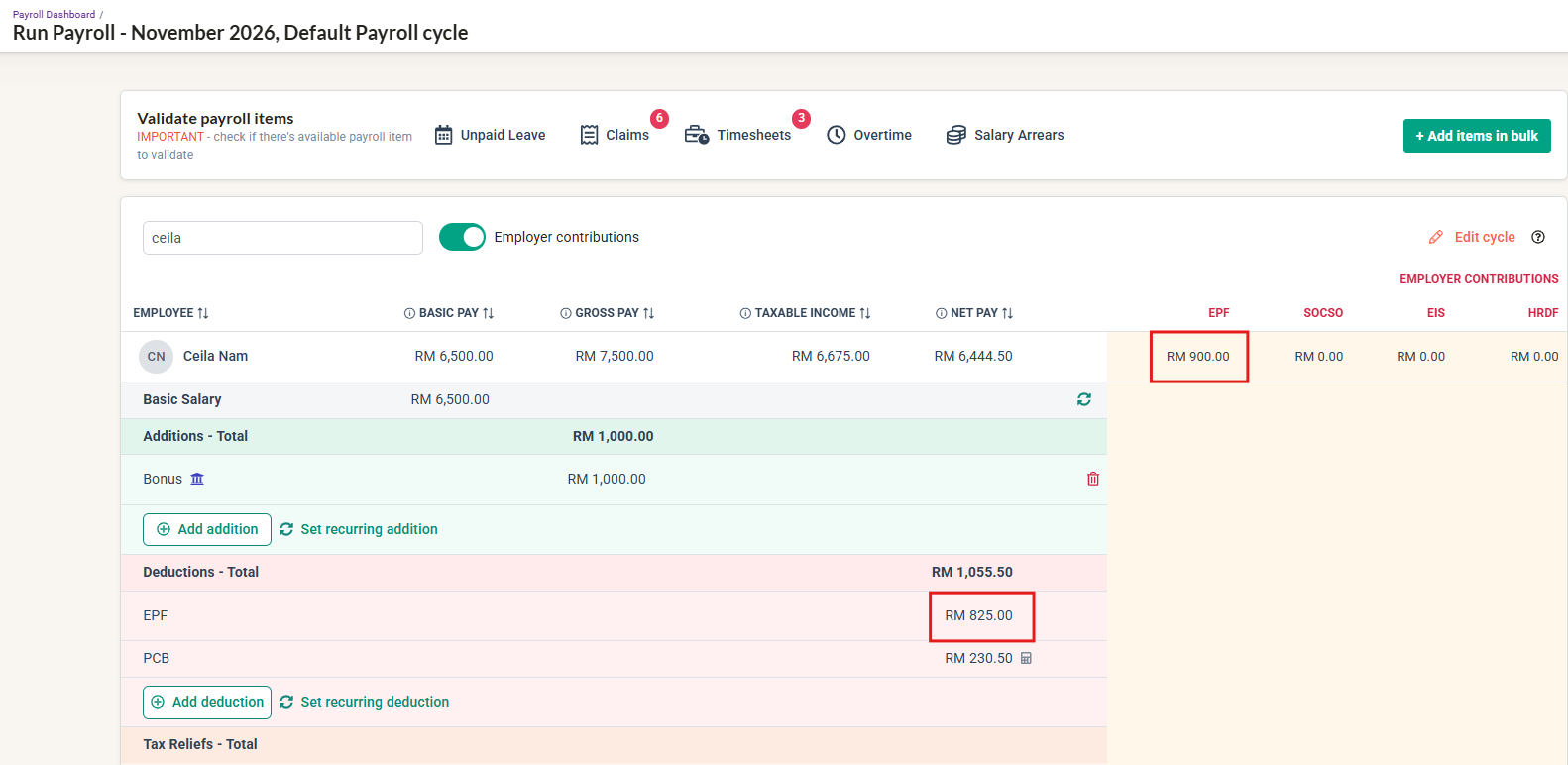
5. Ensure the amount calculated in brioHR matches the KWSP Calculator.
Additional Information on Statutory calculations in brioHR
When an employee has two or more payroll cycles within the same month, the system calculates statutory contributions (such as EPF, SOCSO, PCB and CPF) based on the employee’s total income across all cycles, rather than calculating each cycle independently.
The system first determines the total statutory contribution payable for the month, then deducts any contributions already calculated in previous cycles. The remaining balance is allocated to the subsequent cycle(s) to ensure the correct total contribution is made for the month.
Example:
An employee receives a monthly salary of RM4,000 and a bonus of RM2,000, processed in two separate payroll cycles:
- Cycle 1 – Salary: RM4,000
- EPF calculated: RM440
- Cycle 2 – Bonus: RM2,000
- Total monthly income subject to EPF: RM6,000
- Total EPF contribution for RM6,000: RM660
- Less EPF already contributed in Cycle 1: RM440
- Remaining EPF contribution in Cycle 2: RM220
This means the system ensures that the employee's total EPF contribution across both cycles amounts to RM660, based on the combined monthly income of RM6,000.
The same calculation approach applies to other statutory contributions, including SOCSO, PCB and CPF, ensuring that contributions are accurately calculated across multiple payroll cycles within the same month.
Last Updated by:
Arveena