![brioHR-logo-color.svg]](https://support.briohr.com/hubfs/brioHR-logo-color.svg)
Audience: HR Admin
Module: Payroll
Country: Malaysia
Pre-requisites: Access to HR Lounge Payroll module
You can easily calculate your SOCSO (Social Security Organisation) contributions using the official PERKESO online calculator. Follow these simple steps:
1. Access the PERKESO Calculator
Visit the official PERKESO Contribution Calculator.
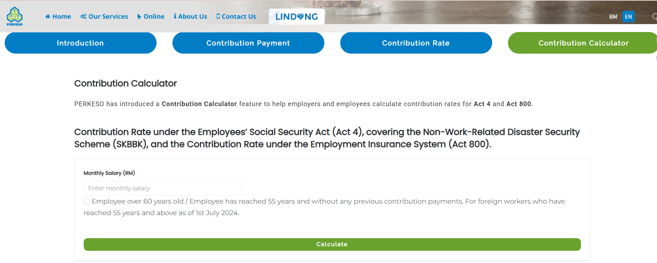
2. Enter the Required Details
Fill in the required fields:
- Monthly Salary (RM)
- Select if the employee if over 60 years old/has reached 55 years without previous contributions.
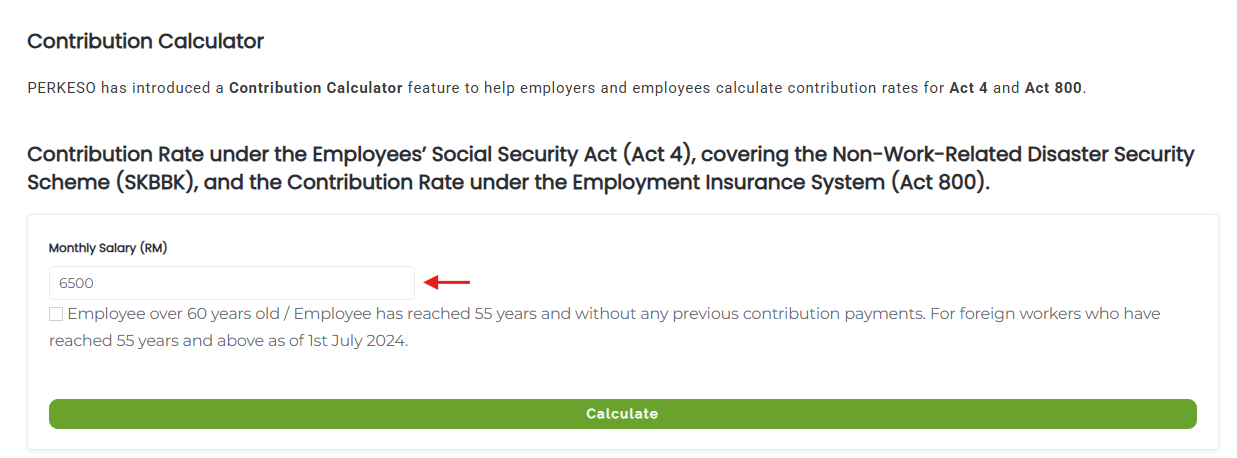
3. Calculate the SOCSO Contributions
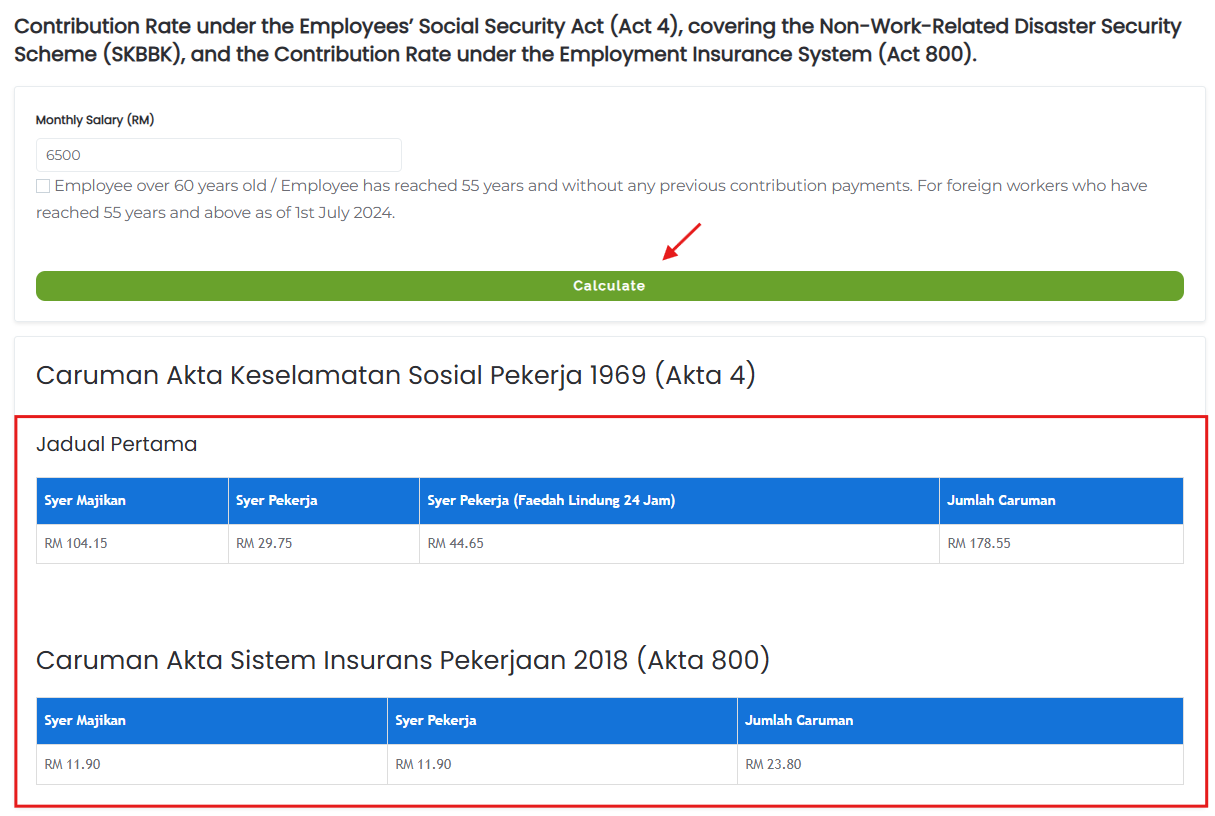
Click Calculate and the contribution amounts will be shown accordingly. This calculator breaks down the SOCSO contribution as well as the EIS contribution (if applicable).
Cross Check SOCSO calculations in brioHR
1. Navigate to HR Lounge > Payroll module.
2. Click into the relevant payroll cycle.
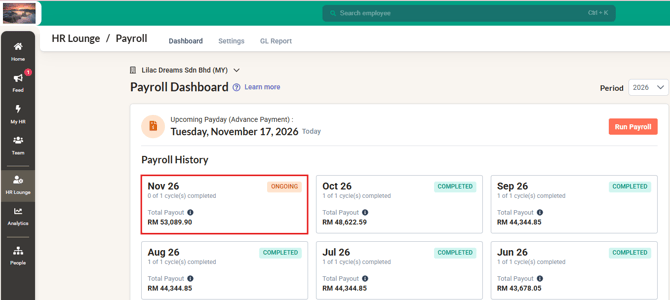
3. Select the employee which you would like to check the contribution amounts.
4. Check the SOCSO contribution under the Deductions section.
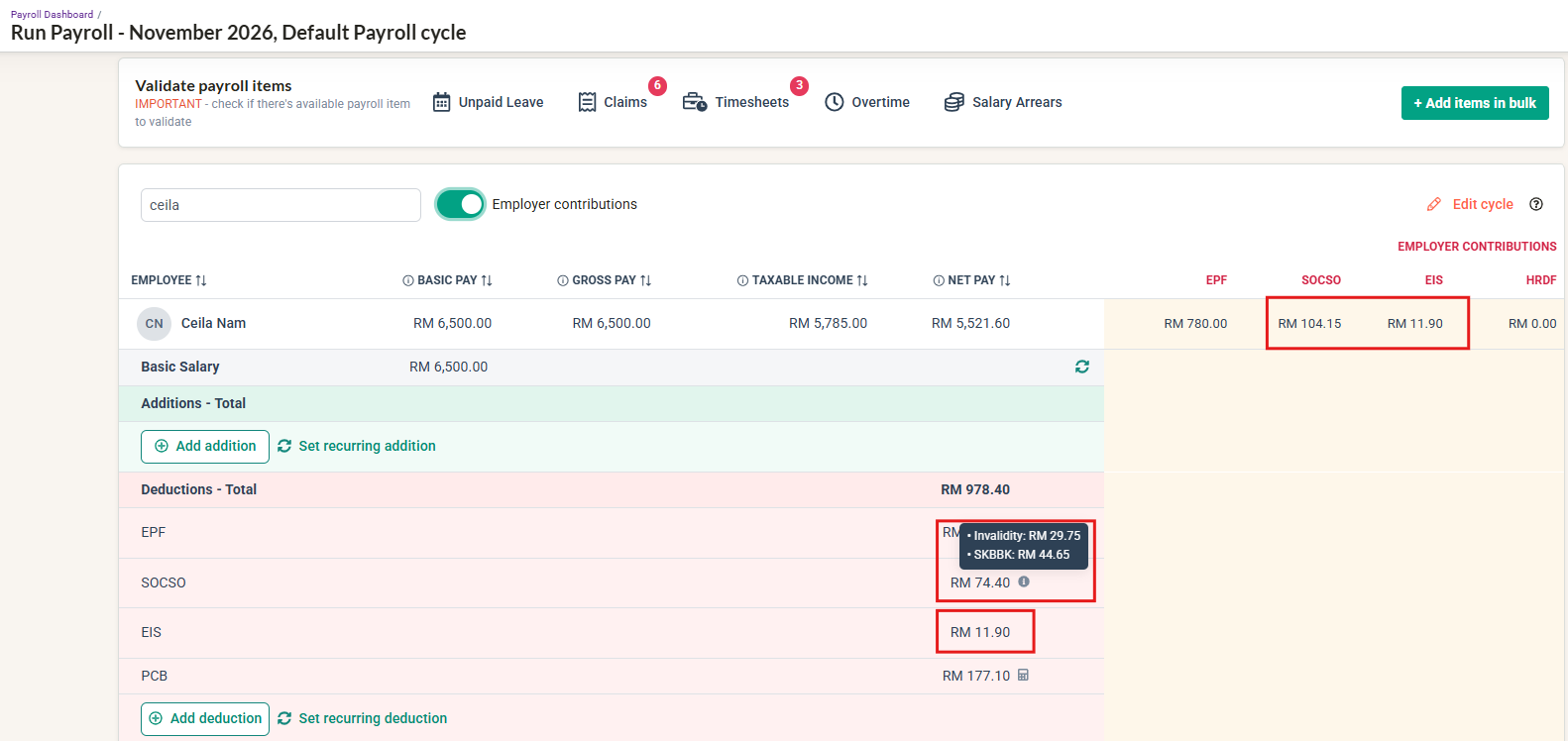
5. Ensure the amount calculated in brioHR matches the PERKESO Calculator.
Additional Information on Statutory calculations in brioHR
When an employee has two or more payroll cycles within the same month, the system calculates statutory contributions (such as EPF, SOCSO, PCB and CPF) based on the employee’s total income across all cycles, rather than calculating each cycle independently.
The system first determines the total statutory contribution payable for the month, then deducts any contributions already calculated in previous cycles. The remaining balance is allocated to the subsequent cycle(s) to ensure the correct total contribution is made for the month.
This way contributions are accurately calculated across multiple payroll cycles within the same month.
Ownership
Arveena