![brioHR-logo-color.svg]](https://support.briohr.com/hubfs/brioHR-logo-color.svg)
Download on the Web
Login to Your BrioHR Account
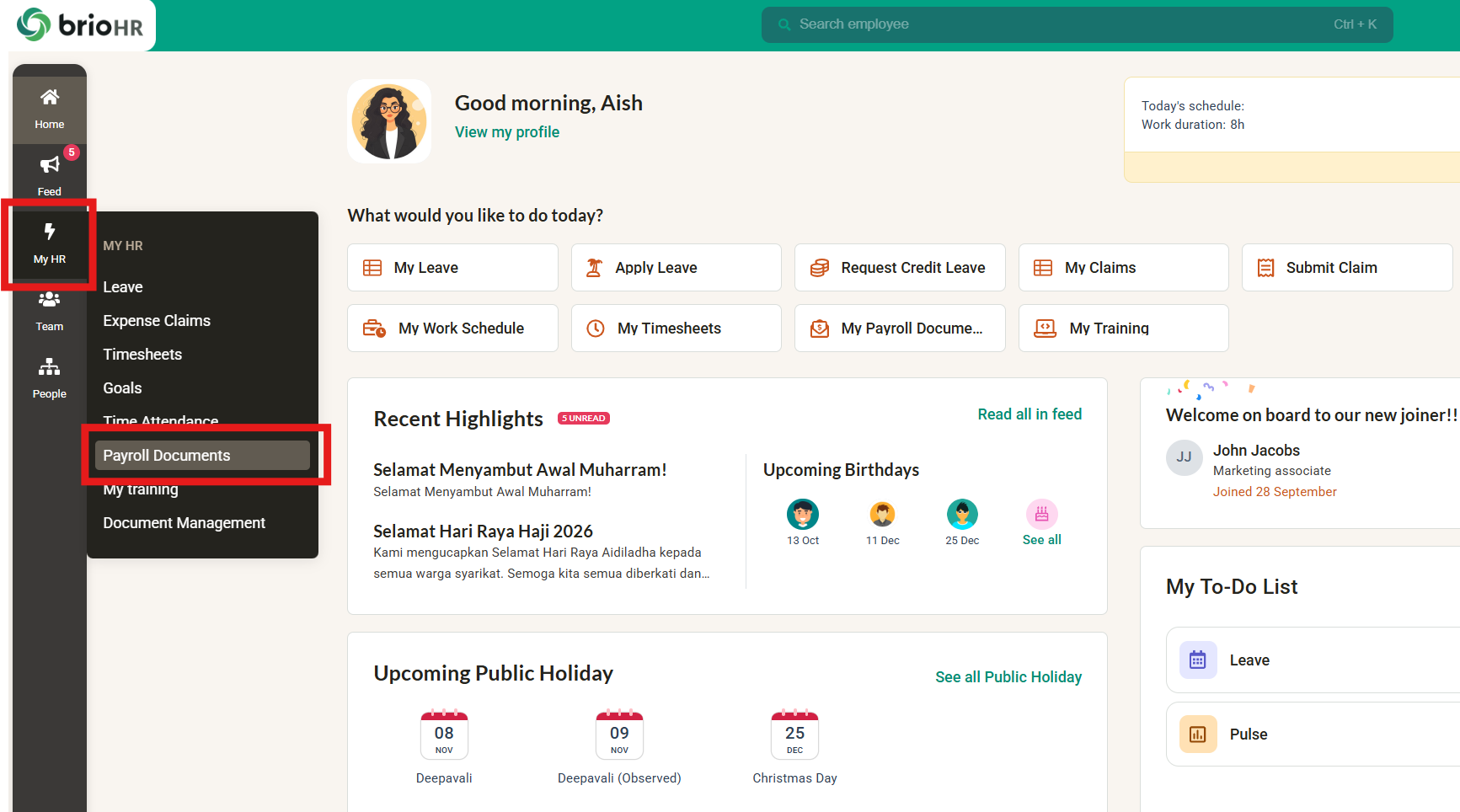
- Go to My HR and click on Payroll Documents.
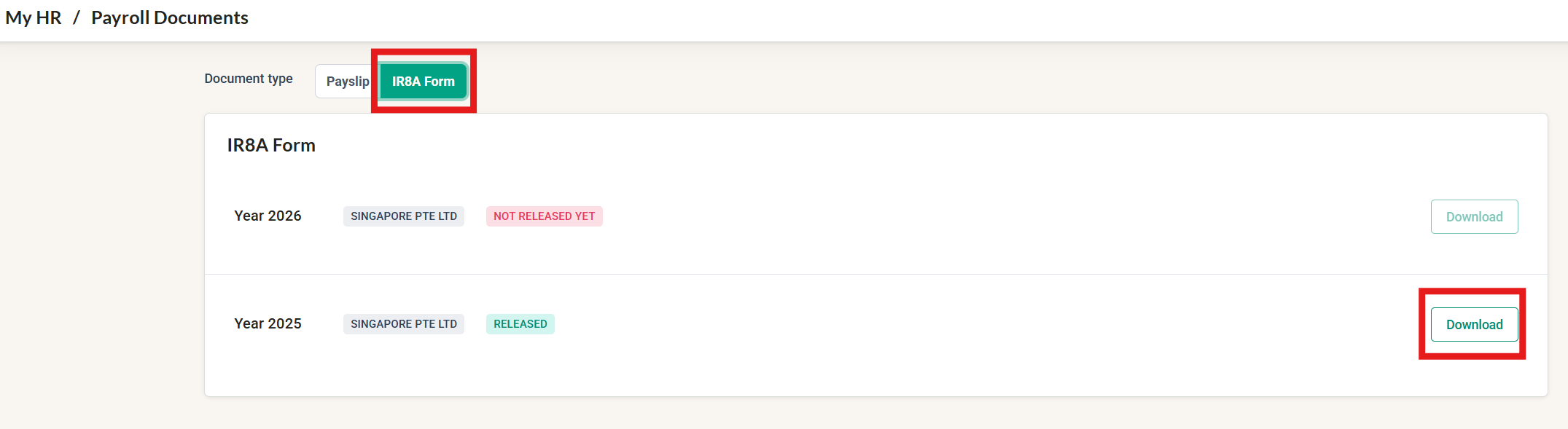
- Go to the IR8A Form tab.
- Look for the year you need with the status "RELEASED". Click on the Download button.
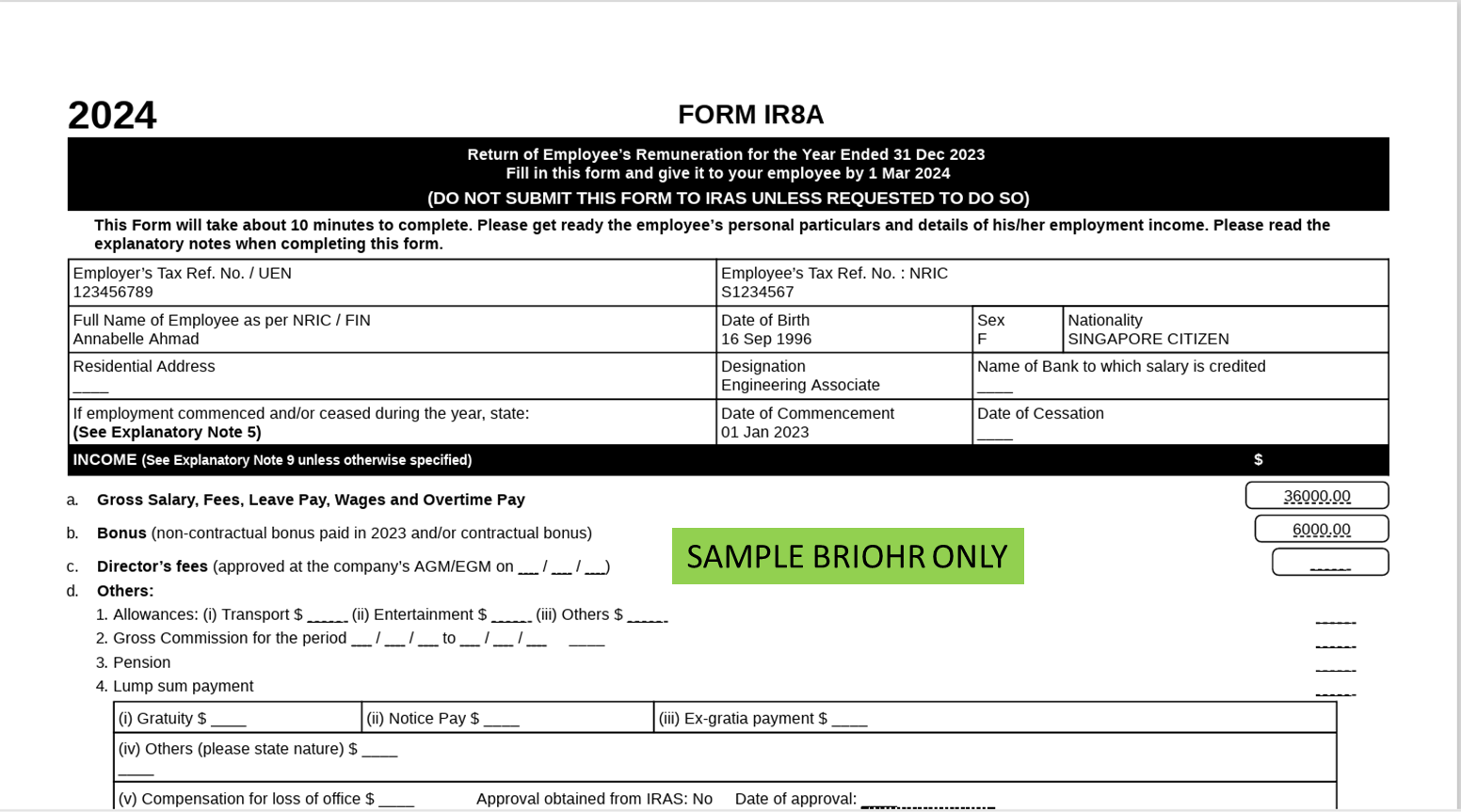
A PDF of your IR8A Form will be downloaded to your computer.
This is how the IR8A Form (PDF) will look like:
Download on the BrioHR Mobile App
- Open the BrioHR app and tap Payroll Documents on the Home screen.
- Tap the IR8A Form tab.
- Tap the year you need. Each row shows the year and your payroll centre.
- Your IR8A Form opens in a preview. Tap the [Download] button to save the PDF or open it in another app.
NOTE:
If a year is greyed out and marked Not yet released, your HR has not released the form for that year yet.
Need Assistance?
If you have any questions or require assistance, please reach out to our support team via live chat or email us at support@briohr.com.