![brioHR-logo-color.svg]](https://support.briohr.com/hubfs/brioHR-logo-color.svg)
Introduction
BrioHR allows you to customise emergency contact relationship types to better reflect real-life situations. These relationship types are not limited to family members and can include guardians, partners, friends, or any other relevant contacts.
Customising these options ensures accurate employee records and greater flexibility when managing emergency contact information.
Before You Begin
To manage emergency contact relationship types, you must have permission as main account Admin with access to Admin Settings.
NOTE:
Changes made here will affect all employees who use the selected relationship type.
Step-by-Step Guide: Modifying the Relationship Types
Step 1 - Log In to BrioHR Account
Log in to your BrioHR account using your registered credentials.
Step 2 - Access the Emergency Contact RelationshipsSettings
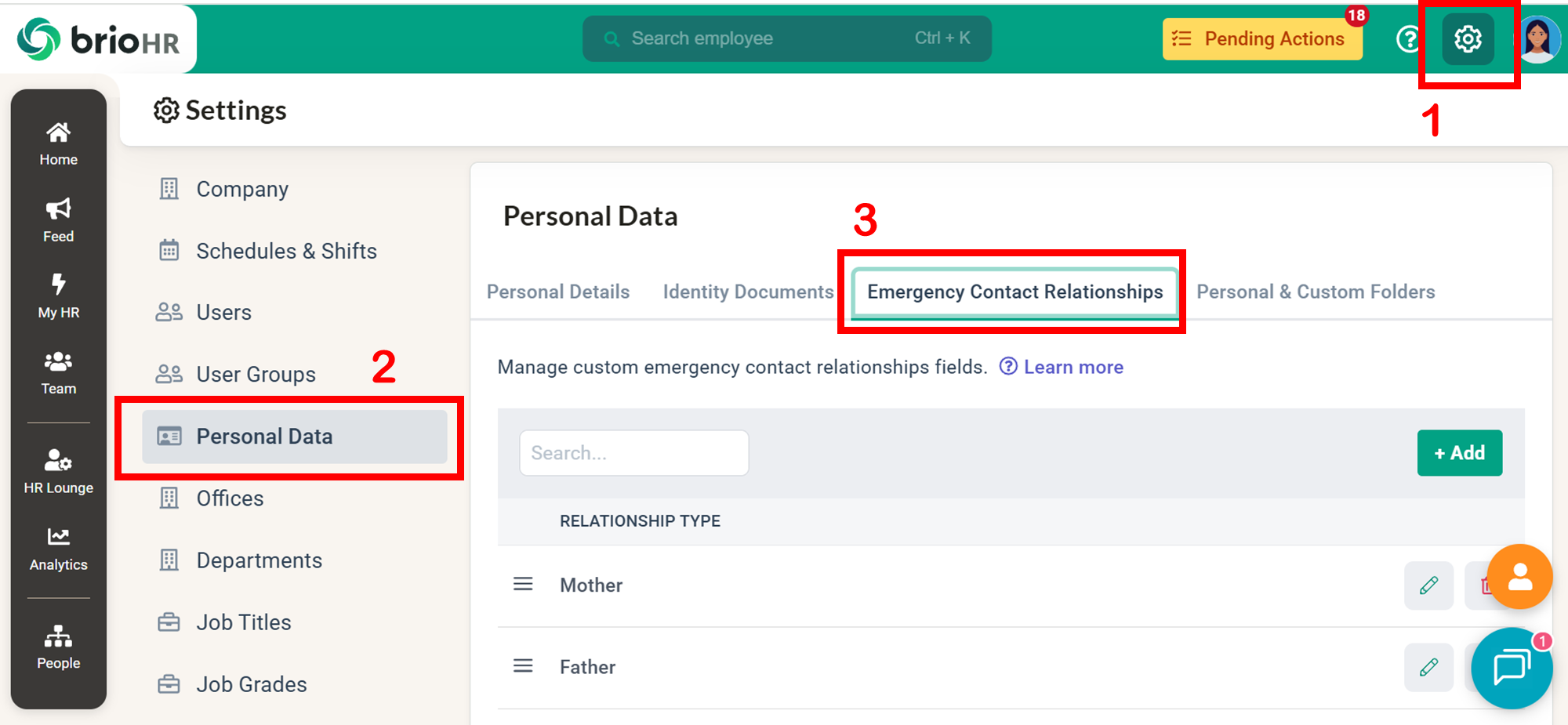
1. Go to Settings, and click on the Personal Data tab.
2. Select the tab Emergency Contact Relationships.
You will see a list of existing default relationship types.
Step 3 - Add a New Emergency Contact Relationship Type
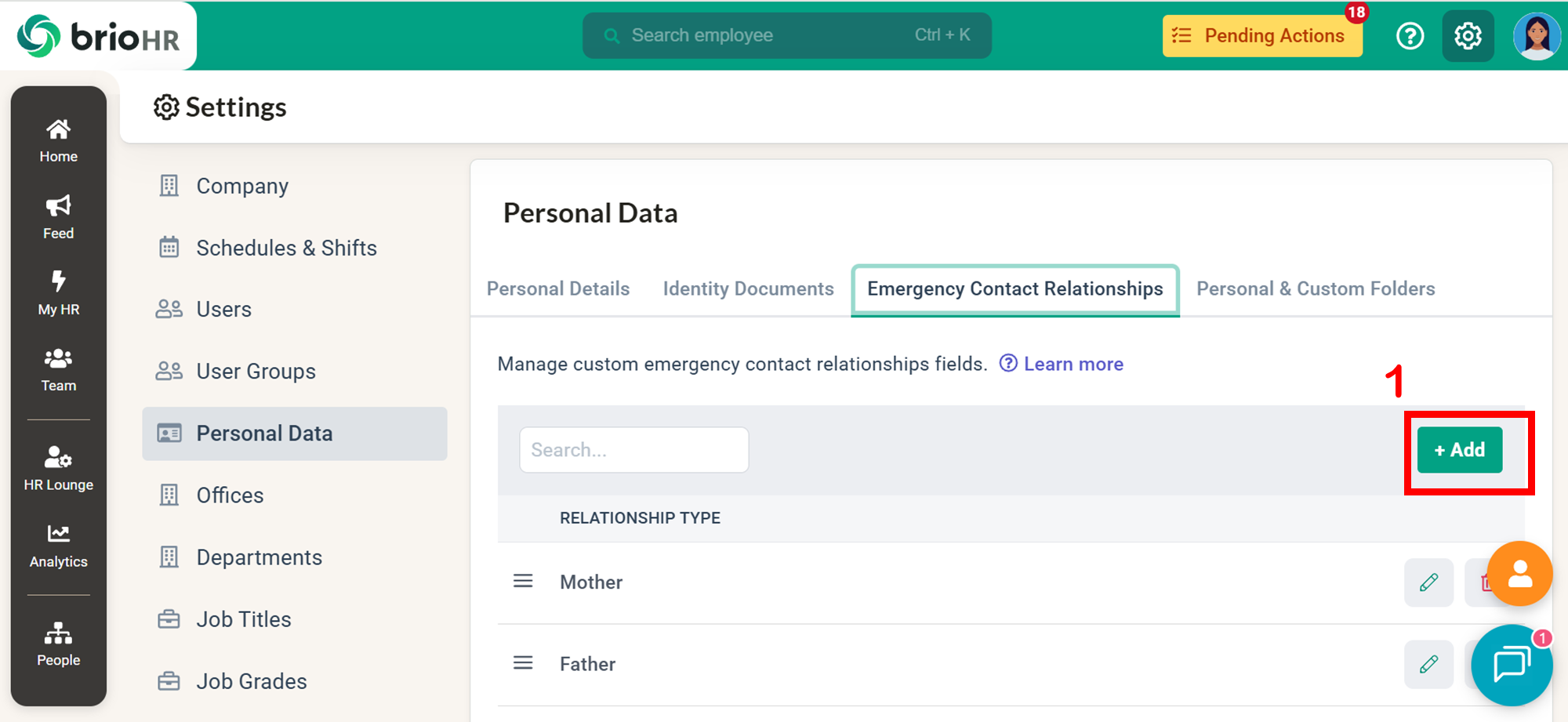
1. Click the +Add button.
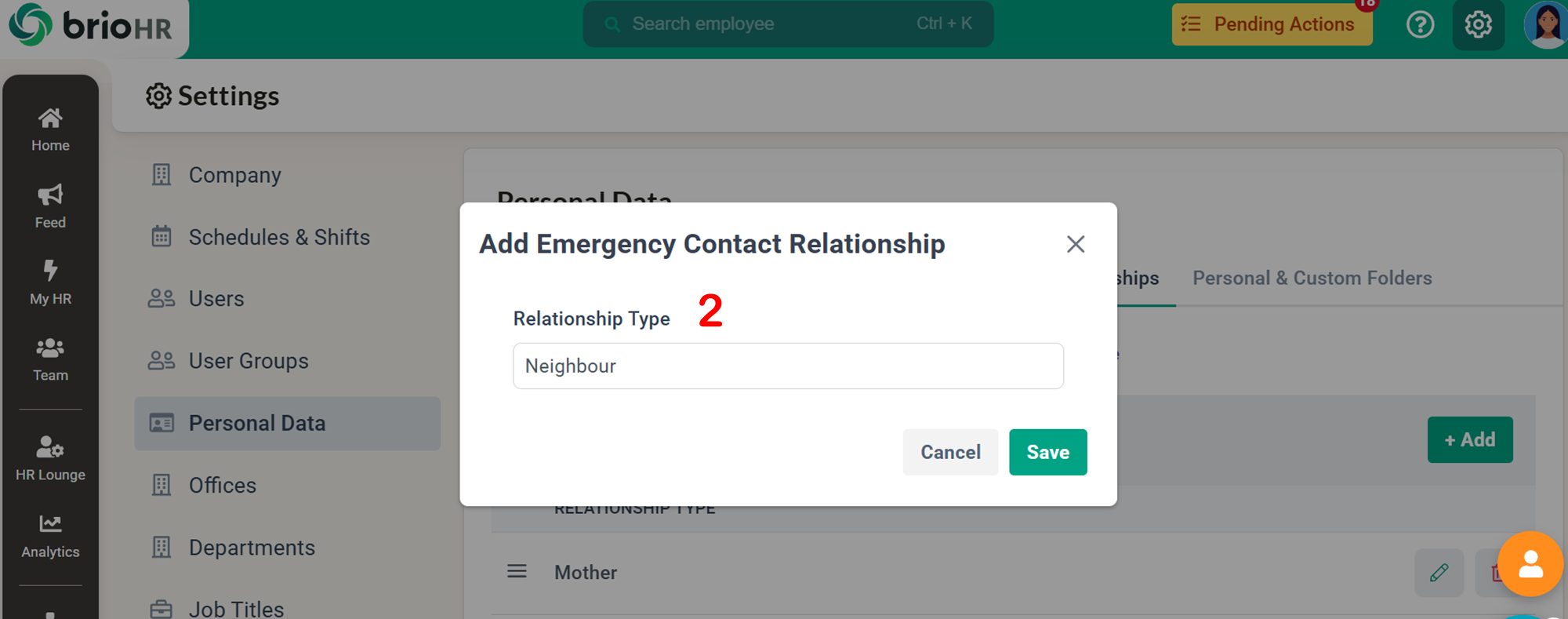
2. A pop out window will appear.
3. Enter the new relationship type (e.g., Guardia, Partner, Neighbour etc)
4. Click Save.
The new relationship type will now be available in employee profiles.
Step 4 - Edit an Existing Emergency Relationship Type
To update a relationship type:
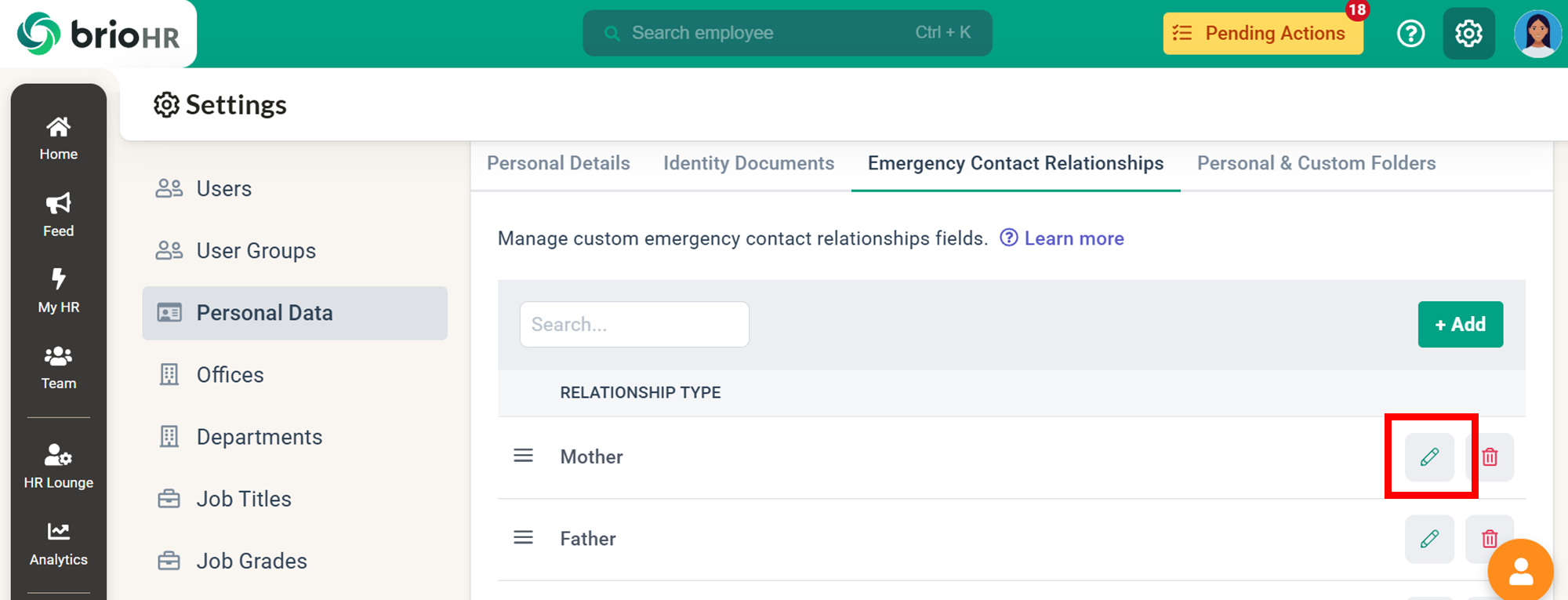
- Click on the Edit icon.
- Enter the new relationship type.
- Click the Save icon to save the changes.
NOTE:
When you edit an existing relationship type in the Settings dashboard, it will automatically update the existing relationship type for all employees in their profiles accordingly.
For example:
If you change the relationship type from "Spouse" to "Husband," the emergency contact relationship in the employee's profile > Emergency tab will automatically change from "Spouse" to "Husband."
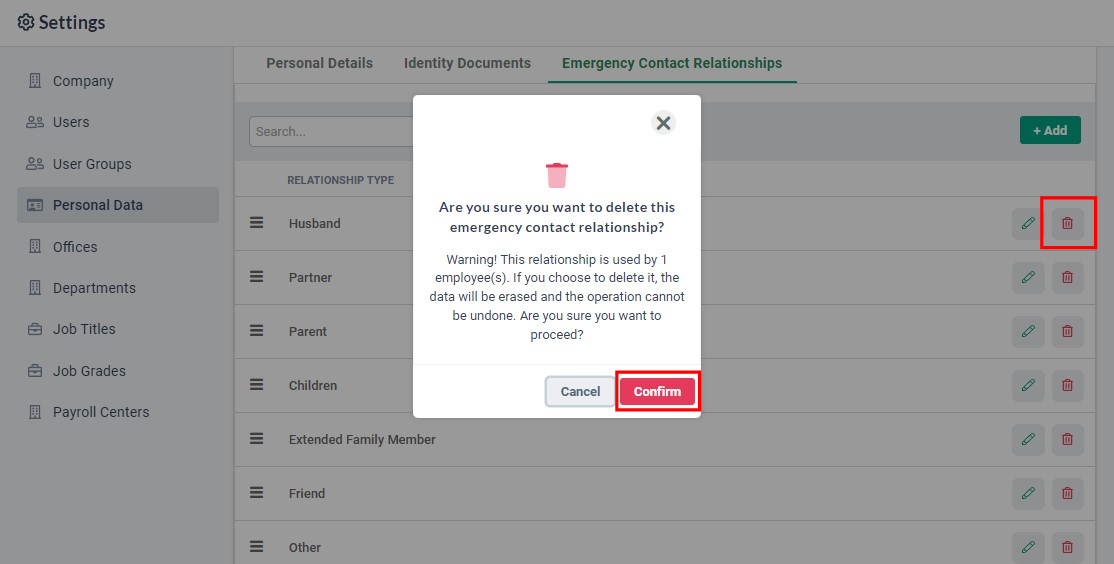
Step 5 - Delete Existing Emergency Relationship Type
To remove an existing relationship type:
- Click on the Bin icon.
- Click on the Confirm icon to complete the action.
IMPORTANT REMINDER:
Deleting a relationship type will permanently remove it from the system. This action cannot be undone.
Any employee records using this relationship type will also be affected.
See Also
-
How to Add Custom Fields to Identity Documents in BrioHR for Employee Profiles
- How to Add Custom Fields to Personal Details in BrioHR for Employee Profiles
Need Assistance?
If you have any questions or require assistance, please reach out to our support team via live chat or email us at support@briohr.com.