![brioHR-logo-color.svg]](https://support.briohr.com/hubfs/brioHR-logo-color.svg)
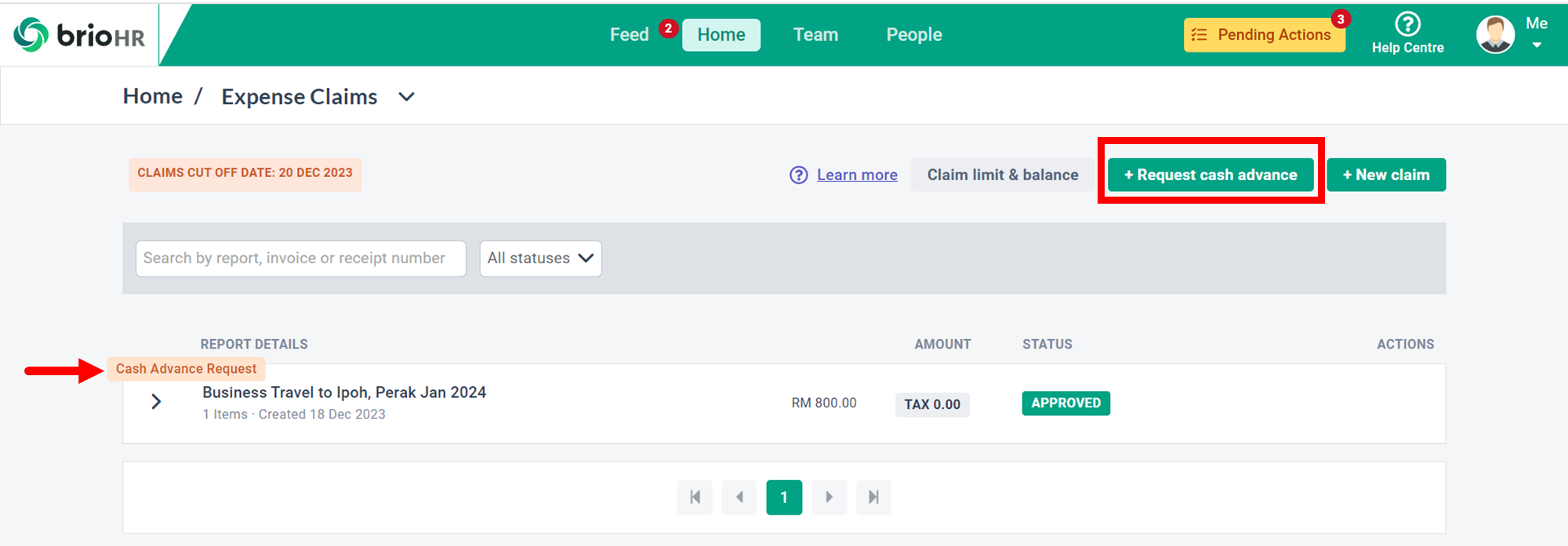
BrioHR's latest enhancement to its expense claim features is the introduction of the cash advance claim type. This functionality allows you to request a cash advance for various business-related needs, such as business travel, projects, and more.
Once you save a cash advance request claim report, a new report labeled "Cash Advance Request" will be created. This label indicates that the claim is a cash advance type and distinguishes it from other types of claims.
You can create this claim report by clicking the "+Request Cash Advance" button.
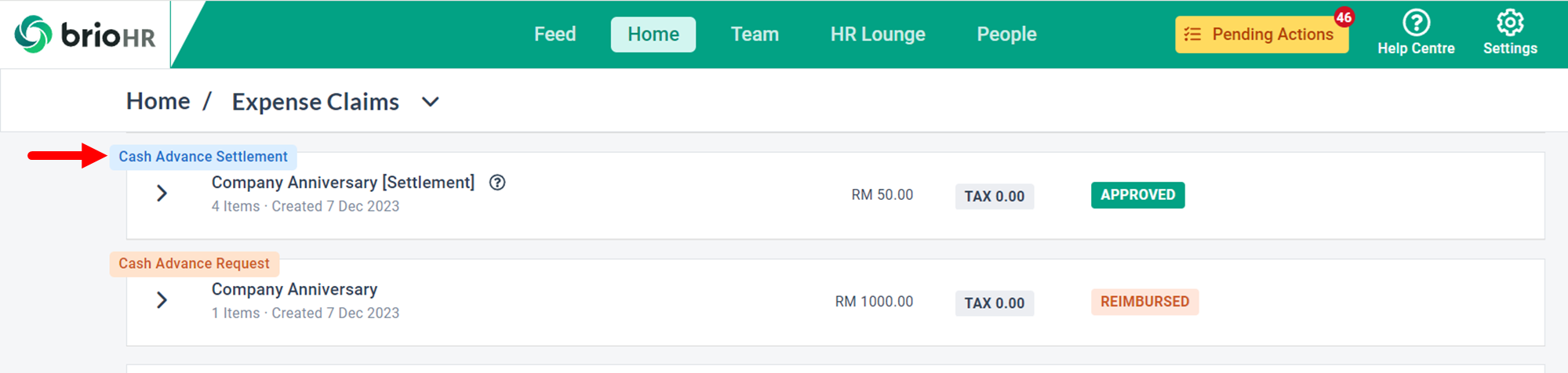
After settling a cash advance request, a separate claim report labeled "Cash Advance Settlement" will appear on your My Claims dashboard.
NOTE:
This report allows you to account for each transaction made using the reimbursed cash advance.
For a step-by-step guide, watch this video on requesting a cash advance claim: Home > My Claims.
Need Assistance?
If you have any questions or require assistance, please reach out to our support team via live chat or email us at support@briohr.com.