![brioHR-logo-color.svg]](https://support.briohr.com/hubfs/brioHR-logo-color.svg)
Login to your BrioHR account:
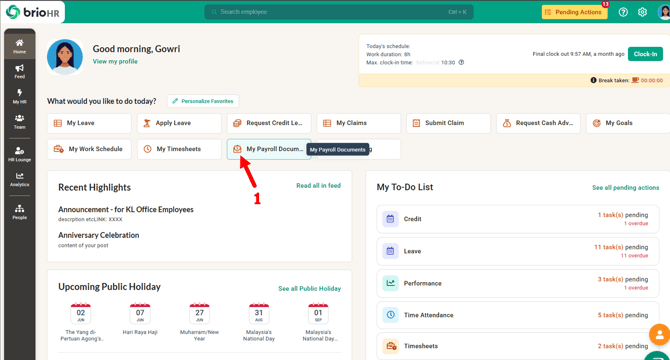
1. On the Home page, click on My Payroll Documents.
Alternatively, you could also go to:
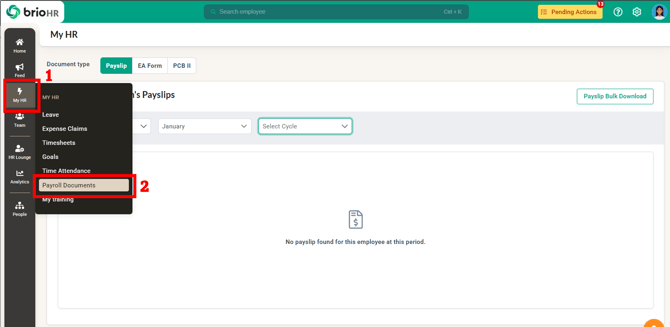
1. Click on MyHR at the navigation bar.
2. Choose Payroll Documents
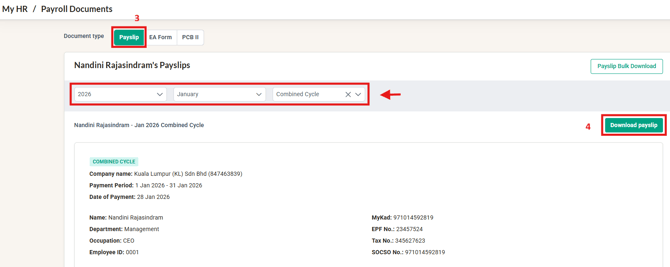
2. In the Document Type menu, select Payslip.
Choose the year and month of the payslip you want to view and download.
3. Click on Download Payslip to download the payslip for the selected month. The payslip will be downloaded as a PDF.
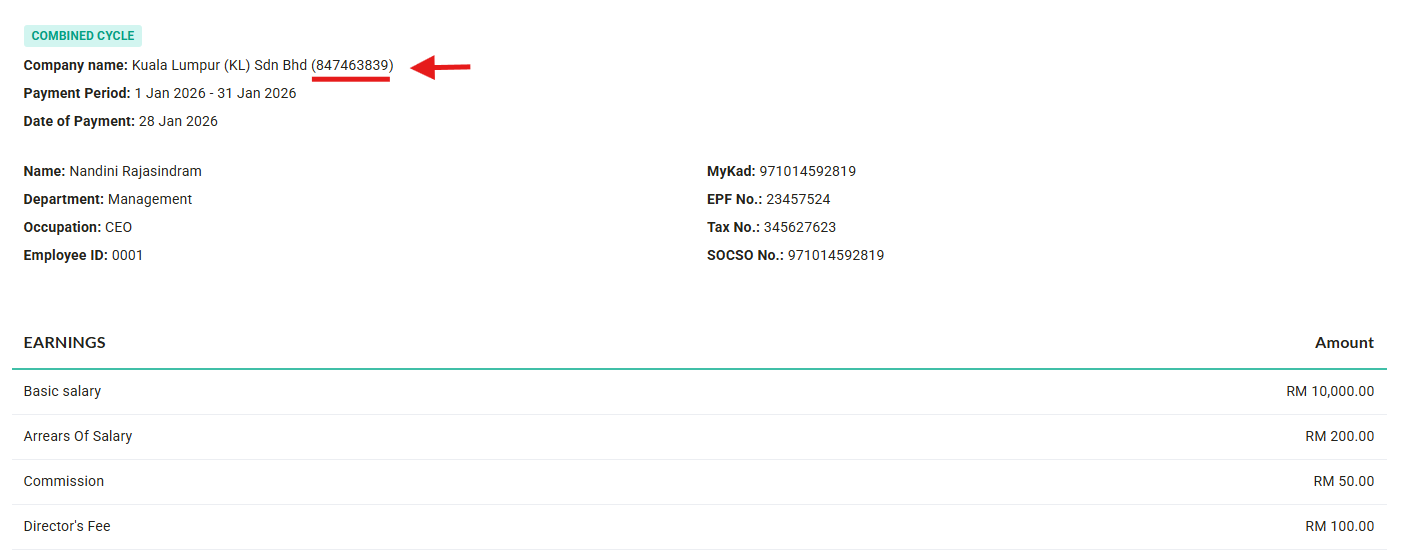
NOTE: The Company Registration Number (SSM) is now automatically included on all generated Malaysian payslips.
How To Download My Payslip In Bulk (Multiple Months At Once)?
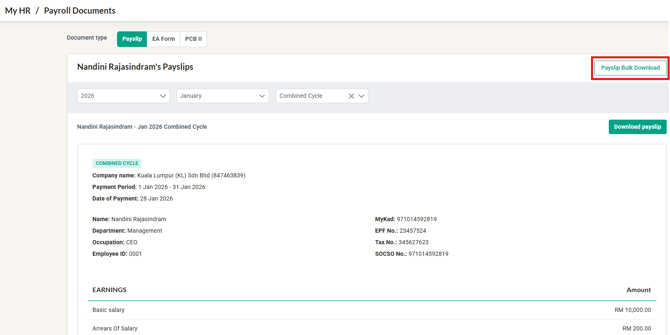
- On the Payroll Documents page, select Payslip and click on Payslip Bulk Download.
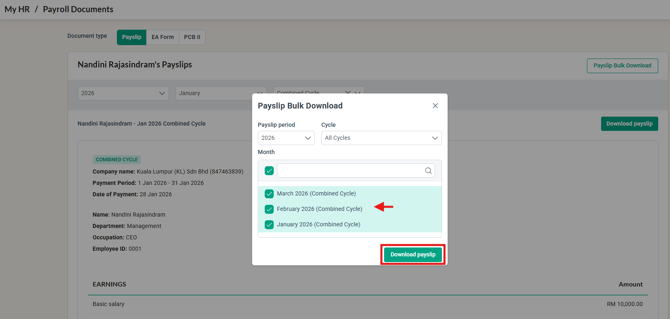
- A pop-up page will appear, allowing you to select the months you want to download in bulk. You can choose all months or select specific months.
- Click on Download Payslip.
Last Update by: Arveena