![brioHR-logo-color.svg]](https://support.briohr.com/hubfs/brioHR-logo-color.svg)
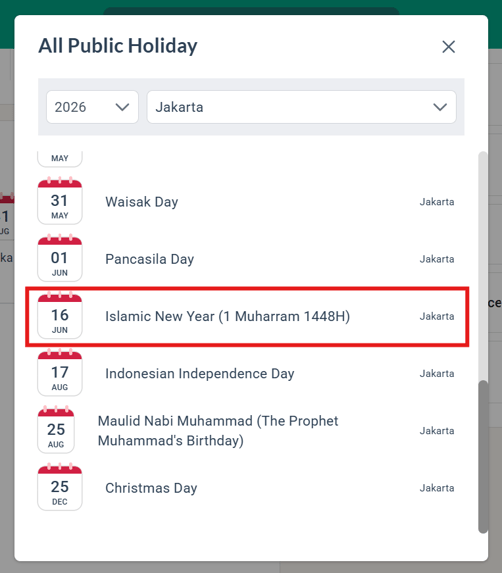
As the observed Islamic new year (1 Muharram) date has changed from 17th June 2026 to 16th June 2026, brioHR has updated the office public holiday calendars in our system accordingly.
This update can be viewed in the Public Holiday calendar within the offices located in Indonesia, as it reflects the new date for the Islamic New Year (1 Muharram) on the 16th June 2026.
NOTE:
This holiday is automatically updated for offices with the 'Country' chosen as Indonesia.
To disable the Public Holiday, please follow these steps:
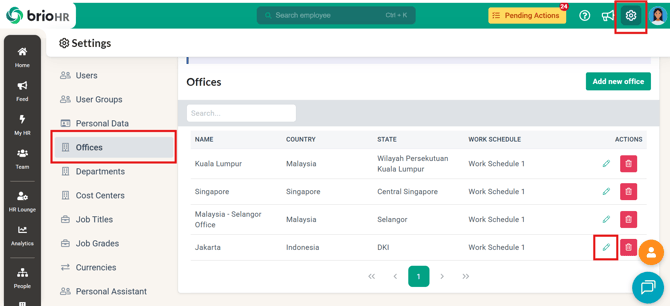
- Go to Settings > Offices.
- Select the relevant office and click Edit (green pencil icon).
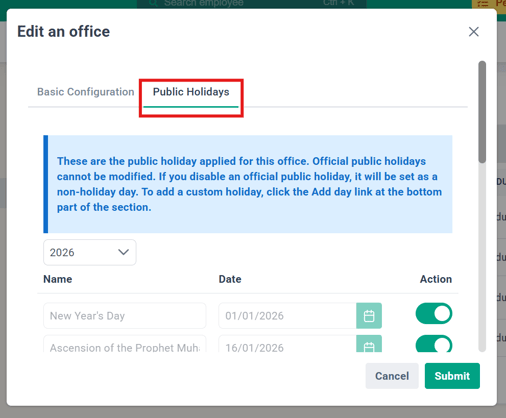
- In the "Edit an office" window, navigate to the Public Holidays tab.
- Scroll down and toggle off "Islamic New Year".
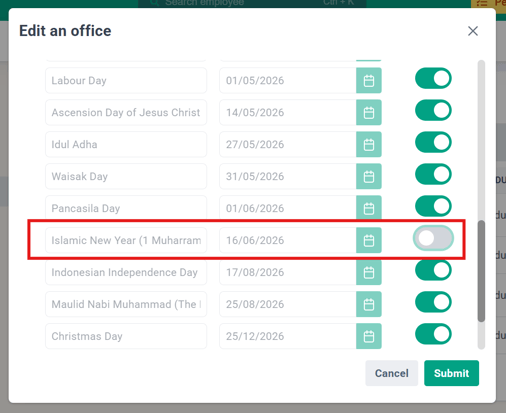
- Click Submit to save your changes.
Sources:
What Should HR Do If Employees Have Already Applied for Leave on the new holiday date?
With the announcement of the change of the public holiday date, some employees may have already submitted leave for the 16th of June 2026. Here’s how HR can manage these situations:
1) Modify Leave
First, check if employees are allowed to modify their existing leave applications:
- Go to HR Lounge > Leave > Leave Policy
- Select the relevant leave type
- Click into the policy settings
- Scroll down to Leave Advanced Settings
- Check if “Allow employee to modify leave in the past” is enabled
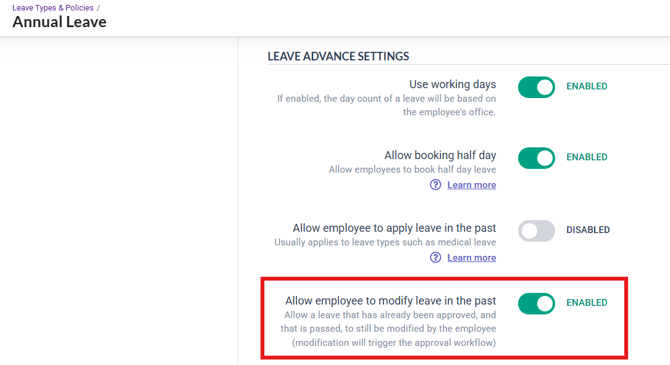
If this option is enabled, employees can edit their approved leave dates accordingly. The updated request will go through another round of approval and, once approved, will be reflected in the employee’s profile.
Click here for a guide on how employees can modify their leaves!
2) Cancel and Reapply Leave
If the modify leave option is not enabled, the leave will need to be cancelled and reapplied:
- HR can cancel the leave and apply a new request on behalf of the employee, or
- Employees can be asked to resubmit their leave application through the system
Click here for a guide on how HR can apply for leave in bulk on behalf of employees!
By following these steps, HR teams can ensure leave records remain accurate while accommodating the newly announced public holiday.
Need Assistance?
If you have any questions or require assistance, please reach out to our support team via live chat or email us at support@briohr.com.