![brioHR-logo-color.svg]](https://support.briohr.com/hubfs/brioHR-logo-color.svg)
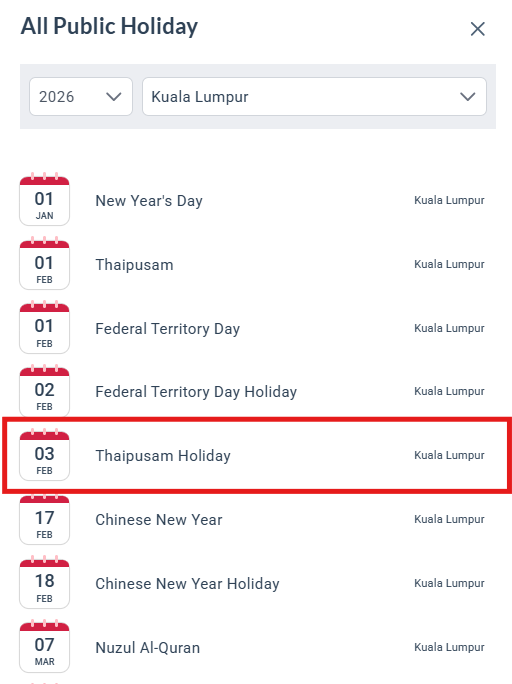
As the Federal Territory public holiday falls on the same day as Thaipusam in 2026, a replacement public holiday has been updated within the system accordingly.
This update can be viewed in the Public Holiday calendar within Offices located in Federal Territory (Kuala Lumpur and Putrajaya) as it reflects the replacement public holiday for Thaipusam 2026 on the 3rd February 2026.
NOTE:
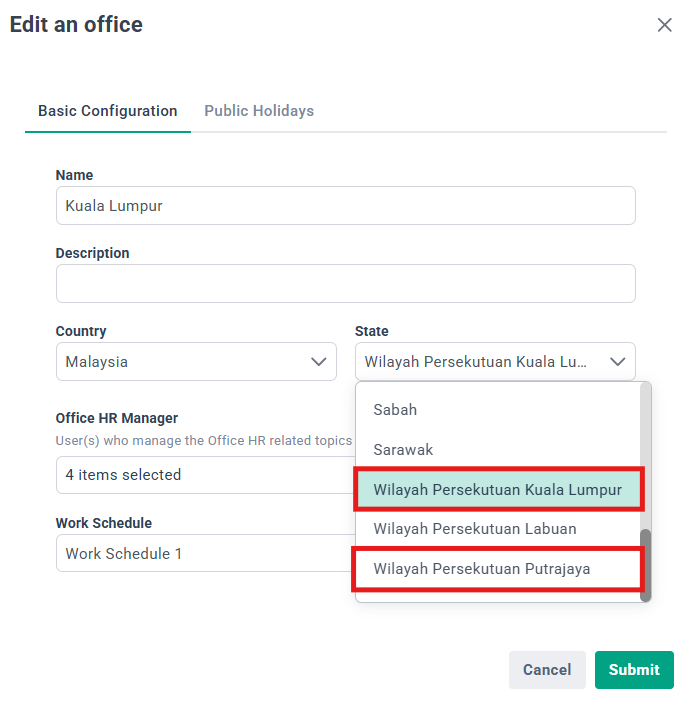
This Thaipusam Public Holiday is automatically added for offices with the 'State' chosen as Federal Territory of Kuala Lumpur & Federal Territory of Putrajaya.
This update does not affect offices in the Federal Territory of Labuan. Public holiday settings for Federal Territory of Labuan remain unchanged.
To review the configuration of the Offices created in the system, please follow the steps below:
- Go to Settings > Offices.
- Select the relevant office and click Edit (green pencil icon).
- Under the Basic Configuration, refer to the State chosen
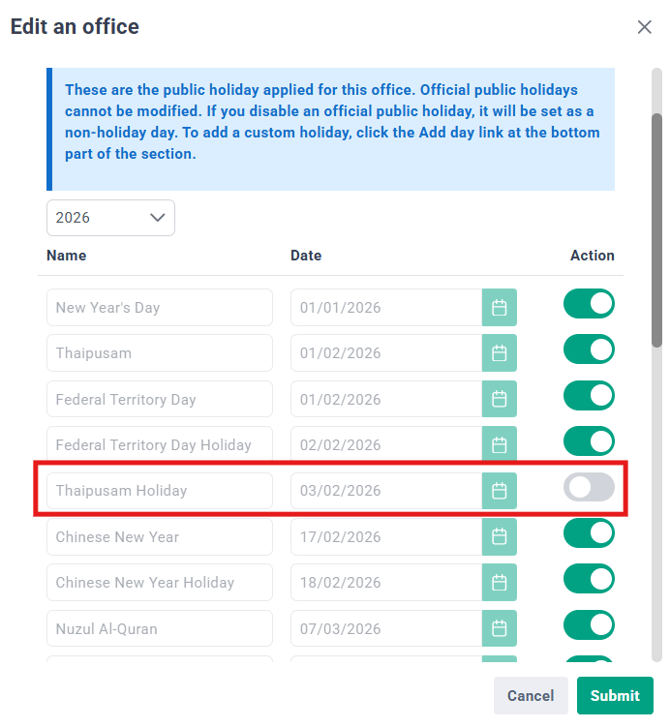
To disable the Public Holiday, please follow these steps:
- Go to Settings > Offices.
- Select the relevant office and click Edit (green pencil icon).
- In the "Edit an office" window, navigate to the Public Holidays tab.
- Toggle off "Thaipusam Holiday"
- Click Submit to save your changes.
Need Assistance?
If you have any questions or require assistance, please reach out to our support team via live chat or email us at support@briohr.com.