![brioHR-logo-color.svg]](https://support.briohr.com/hubfs/brioHR-logo-color.svg)
Audience & Scope
Audience: HR Admin & Payroll Manager
Module: Payroll
Country: Malaysia & Singapore
Pre-requisites: User group settings (HR Module Permission to Payroll Module)
IMPORTANT:
If you choose to delete a payroll cycle, the action CANNOT be undone (or reversed), and the deleted data will no longer be retrievable.
Only delete a payroll cycle if you are sure.
We recommend downloading the relevant payroll reports of the cycle you are deleting as a precaution and backup. In the event you need to redo the cycle, you can refer to the extracted reports as a reference.
Step-by-Step Instructions
Part 1: Set user group permission to allow the delete payroll function
1. Go to Admin Settings > User groups
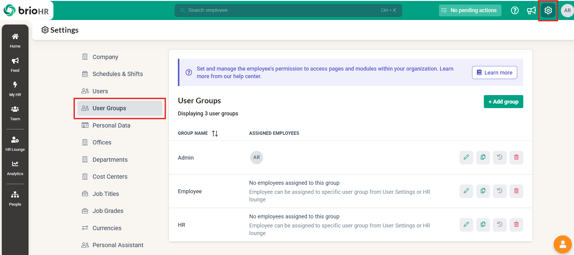
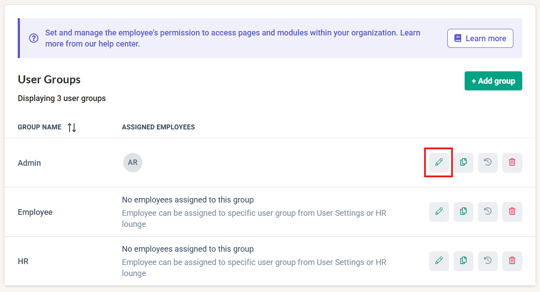
2. Click 'Edit' for the user group you need to allow the delete function for
3. Click HR Modules Permission. Under Payroll Module, tick 'Allow access to delete payroll cycles'
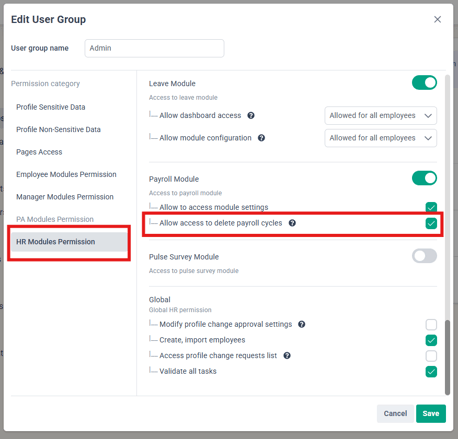
4. Click Save
Part 2: Delete latest payroll cycle
There are 3 screens where you can delete the latest payroll cycle:
Screen 1:
1. Go to HR Lounge > Payroll
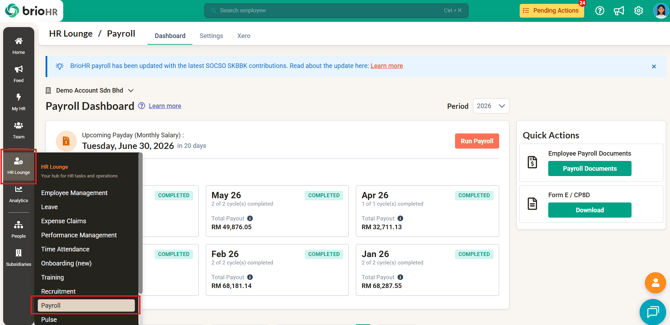
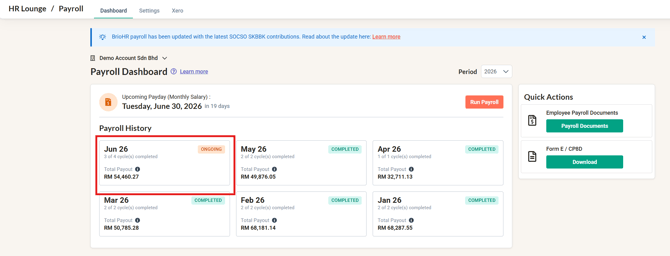
2. In the Dashboard, click your current payroll month
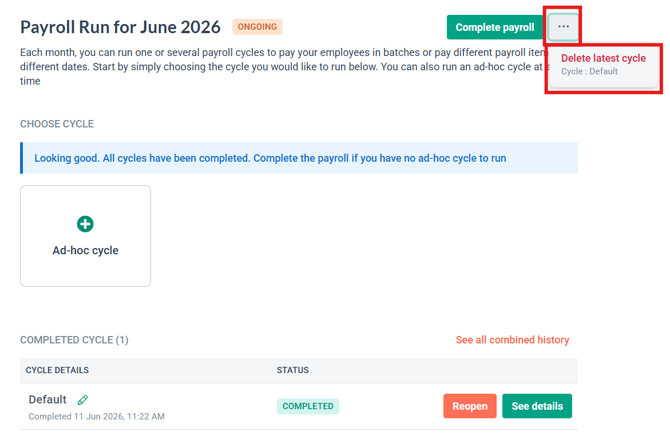
3. Click the 3-dot button and click 'Delete latest cycle'.
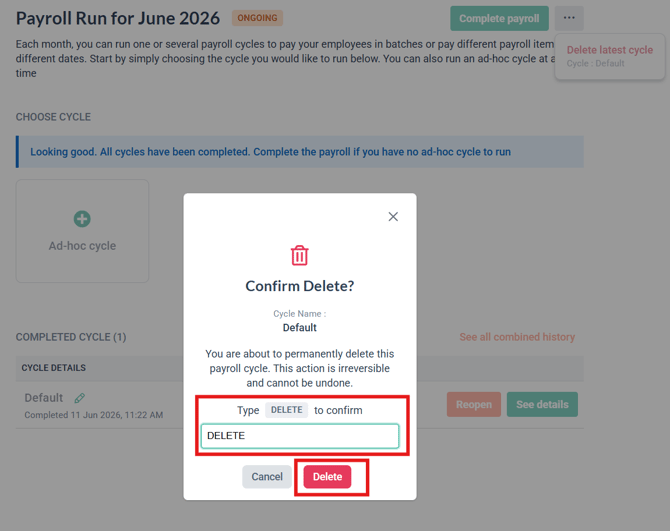
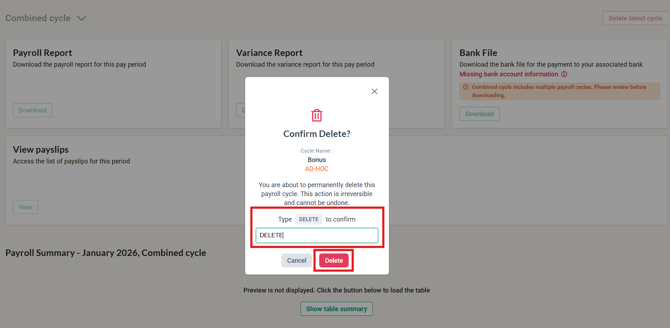
4. Confirm that you want to delete the payroll cycle and click Delete
Screen 2:
1. Go to HR Lounge > Payroll
2. In the Dashboard, click your current payroll month
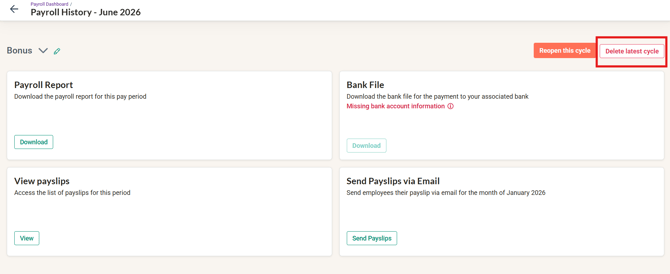
3. Click See details on your latest payroll cycle
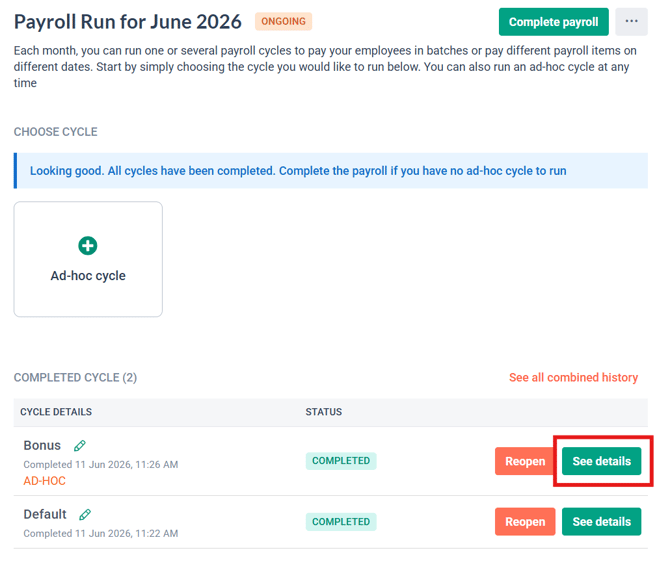
4. Click Delete latest cycle
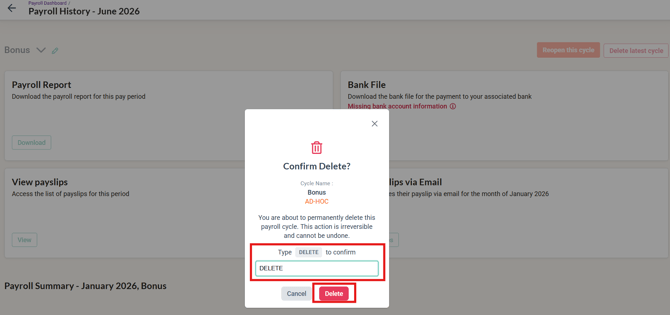
5. Confirm that you want to delete the payroll cycle and click Delete
Screen 3:
1. Go to HR Lounge > Payroll
2. In the Dashboard, click your current payroll month
3. Click See all combined history
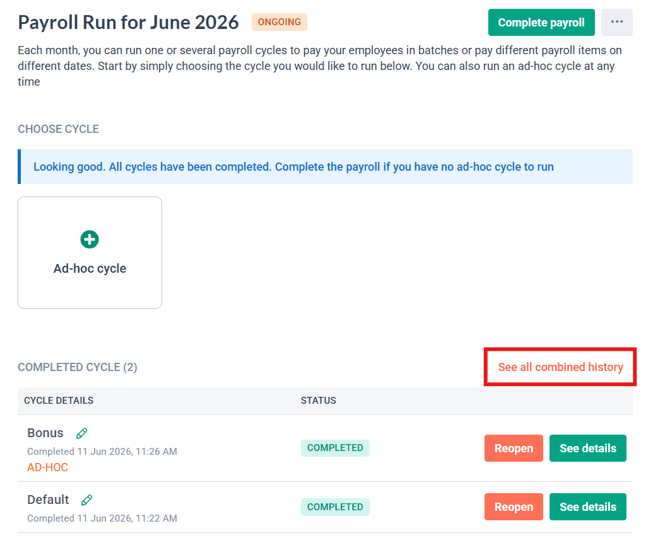
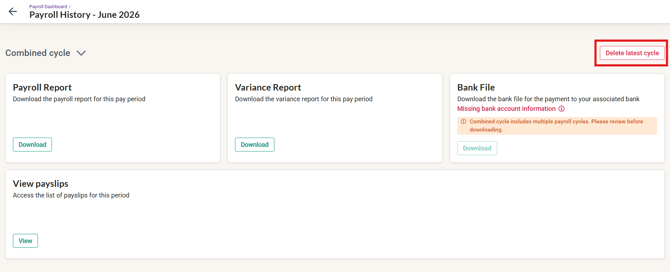
4. Click Delete latest cycle
5. Confirm that you want to delete the payroll cycle and click Delete
NOTE:
Only the latest cycle can be deleted at one time. If you want to delete multiple cycles, you will have to perform the 'delete latest cycle' multiple times.
Common Issues/FAQ
Q: I ran two payroll cycles and want to delete the first cycle I created. How do I do this?
A1: The cycle has to be deleted in the sequence it was created. To delete your first cycle, your second cycle has to be deleted first.
Q: Can I delete a payroll cycle after I have completed a payroll month?
A2: Yes, you can still delete the latest payroll cycle once your current payroll month is completed. Once you delete the payroll cycle, the payroll month will change to 'Ongoing' status. You will have to complete the payroll month again.
Q: I need to reopen the latest payroll cycle from my previous payroll month. How do I do this?
A3: If you have already run cycles in your new payroll month, all the cycles in your current month have to be deleted first. This will change your 'current' payroll month to the last month. You can delete the latest cycle in your previous month once this is done.
Q: Can I delete an ONGOING payroll cycle (not yet completed)?
Yes — the same self-serve deletion applies to the latest cycle whether ongoing or completed, once the permission is enabled. Support no longer deletes cycles on your behalf.
Related Articles
How to Reopen and Edit a Completed Payroll Cycle or Payroll Month
Ownership
By: Aqilah